
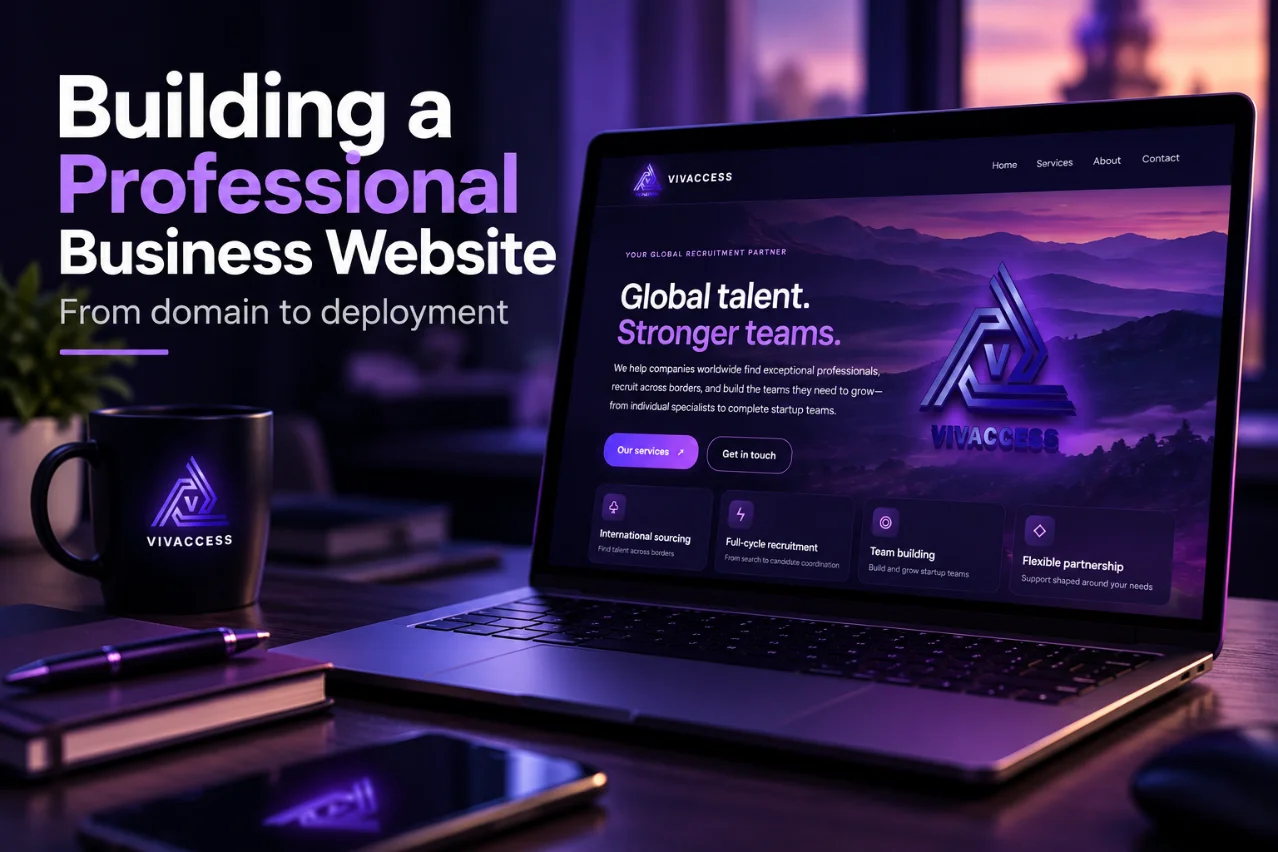
How We Built and Launched a Real Business Website with AI, Porkbun, and Cloudflare
From domain registration to deployment, business email, SEO, and real-world verification: a firsthand case study.
We built a business website with AI and launched it in just five hours—from domain registration to a live, publicly accessible site. With ChatGPT assisting throughout the process, we registered the domain through Porkbun, deployed the website using Cloudflare Pages, configured DNS and HTTPS, and verified that the website was publicly accessible. The five-hour milestone refers to building and launching the website—not completing every subsequent SEO or search-engine indexing task.
We Needed a Website, Not Another AI Experiment
We needed a professional website for Vivaccess Ltd, a Cyprus-registered company offering international recruitment and talent acquisition services. This was not a fictional demo: it needed a custom domain, responsive design, secure HTTPS, a working contact channel, and a foundation for search discovery. We worked with ChatGPT to create a static website and then tackled the infrastructure needed to launch it.
1. Starting With the Business
Before selecting tools, we defined the message: Vivaccess helps businesses find specialists, source international talent, and grow teams. We chose five pages: Home, Services, About, Contact, and Privacy Policy. We wanted a premium visual identity without limiting the business to one industry or region.
2. Building the Site With AI
ChatGPT assisted with HTML, CSS, JavaScript, page structure, design refinements, and technical troubleshooting. We iterated through versions, testing desktop and mobile layouts, navigation, typography, and visual elements. AI accelerated development, but we still made the business and design decisions and checked the results.
Why not WordPress? We already knew WordPress from TechEduCareer—and had explored how to use AI to improve a WordPress website—but this project initially needed only a handful of relatively stable pages. A static website avoided a database, theme dependencies, and routine plugin updates. For a frequently updated blog or a future recruitment portal, the trade-offs could be different.
3. Registering vivaccess.eu With Porkbun
We registered our domain through Porkbun. Domain registration is not the same as hosting: a registrar manages the name, DNS directs traffic, and a hosting service serves the website. We used Porkbun for registration and Cloudflare for DNS and hosting. Domain buyers should check renewal prices, not just introductory offers.
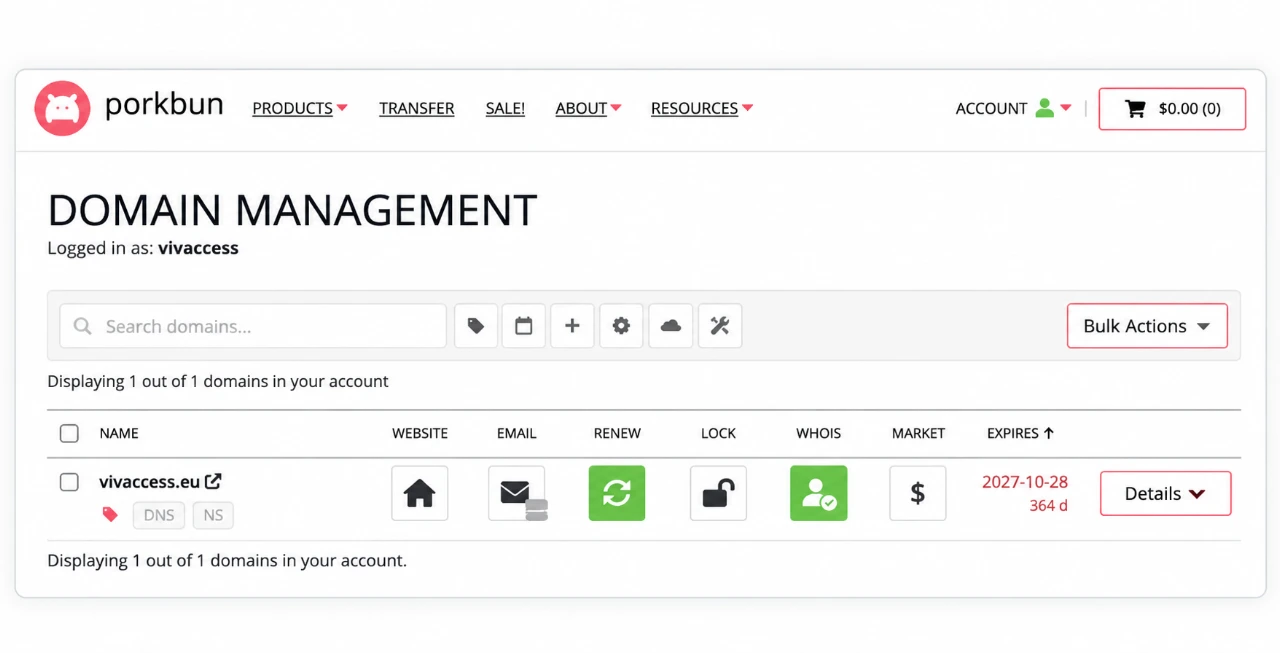
Porkbun Domain Management showing the registered vivaccess.eu domain.
4. Deploying With Cloudflare Pages
We deployed the static files through Cloudflare Pages, using a project address at vivaccess.pages.dev before connecting vivaccess.eu. We configured DNS, HTTPS, and a permanent redirect from www.vivaccess.eu to the non-WWW domain. We tested the redirect rather than relying solely on a successful-looking dashboard.
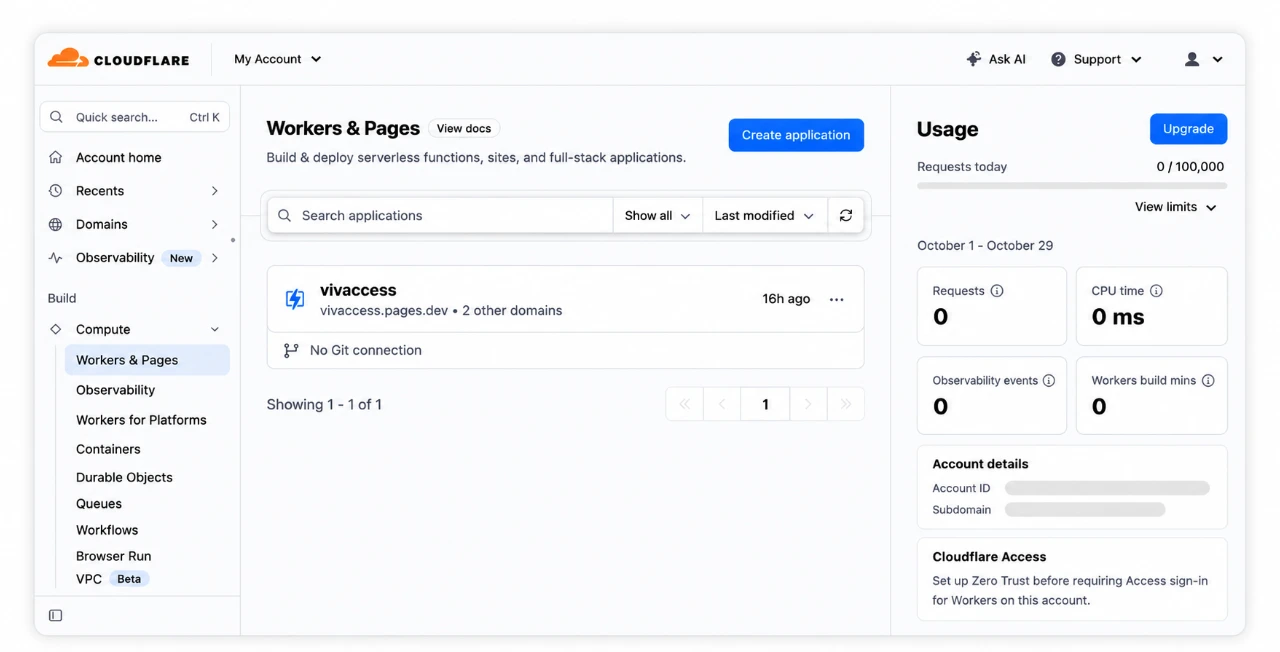
Vivaccess website deployed with Cloudflare Pages.
5. Business Email and Contact Form
We configured contact@vivaccess.eu using Cloudflare Email Routing to forward incoming messages to Gmail, then tested delivery. Forwarding is not a full hosted mailbox or outbound email service; those require separate arrangements if needed.
Because the website had no application backend, we integrated Web3Forms for contact submissions and tested the form. Third-party form processing also raises privacy questions, so our privacy notice and service safeguards need appropriate review.
One apparent bug turned out to be a local computer issue: clicking the email link did not open a mail app, although inspection showed a correct mailto: link. Browser or operating-system settings can affect what users experience.
6. SEO Is More Than Making a Website Live
We checked the five pages’ titles, descriptions, headings, and internal navigation. We added canonical URLs, Open Graph metadata, a 1200 × 630 social preview image, Twitter/X card metadata, and Organization JSON-LD describing Vivaccess and linking to its LinkedIn company page.
We also configured Google Search Console and Bing Webmaster Tools and submitted a five-page XML sitemap at vivaccess.eu/sitemap.xml. Google initially reported a sitemap fetch/read issue, even though the sitemap was accessible and the homepage passed live URL inspection. We chose to monitor processing rather than immediately change working infrastructure. A submitted sitemap is not a guarantee of indexing or rankings.
7. Verifying the Launch With PowerShell
We did not stop at the deployment success screen. We checked that the live homepage actually contained the new metadata:
curl.exe -sL https://vivaccess.eu/ | Select-String -Pattern 'canonical|og:image|og:url|twitter:card|application/ld\+json'Then we checked every main page and the social image:
$urls = @(
  "https://vivaccess.eu/",
  "https://vivaccess.eu/services",
  "https://vivaccess.eu/about",
  "https://vivaccess.eu/contact",
  "https://vivaccess.eu/privacy",
  "https://vivaccess.eu/vivaccess-social.jpg"
)
foreach ($url in $urls) {
  $result = curl.exe -s -L -o NUL -w "%{http_code} %{content_type}" $url
  Write-Host "$result  $url"
}
All six resources returned HTTP 200. The five pages reported text/html; charset=utf-8; the preview image reported image/jpeg. That confirmed public accessibility at the time of testing, though not every possible browser interaction or SEO outcome.
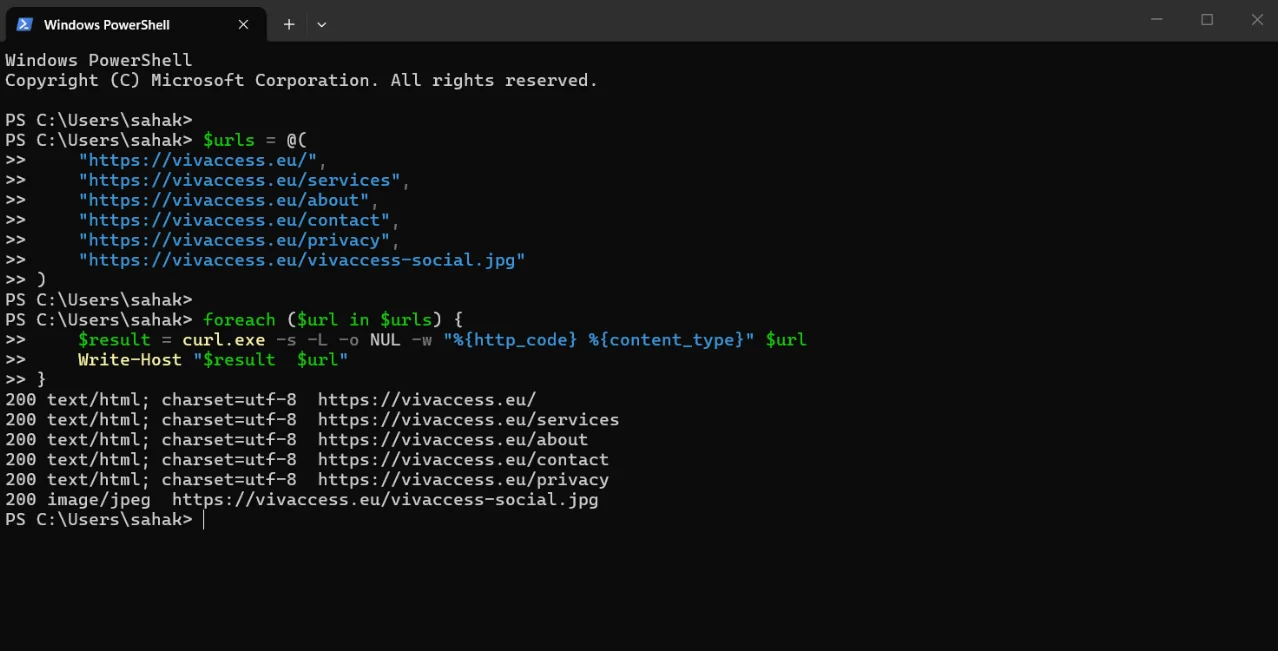
All six Vivaccess resources returned HTTP 200.
8. What Did It Cost?
Our stack combined paid domain registration with free-tier or free services: Porkbun for the domain, Cloudflare Pages and DNS for hosting and routing, Cloudflare Email Routing for incoming messages, Web3Forms for the contact form, and free Google and Bing webmaster tools. ChatGPT access may have a subscription cost. We will add verified actual amounts and applicable service limits before publication; free tiers and prices can change.
9. What AI Did Well—and What Still Needed Us
AI helped generate code, refine the design, explain DNS and hosting concepts, suggest SEO changes, and prepare test commands. Our earlier ChatGPT and WordPress MCP case study explores another way AI can support practical website work. But humans still needed to choose the positioning, assess the design, configure accounts, review privacy implications, and verify that the deployment and email actually worked.
Next time, we would define the full page structure and technical checklist earlier, plan SEO metadata before the final deployment, document tests as we go, and address privacy requirements alongside implementation.
Final Thoughts
We ended with a real business website—not just a mockup—at vivaccess.eu, with its own domain, HTTPS, incoming business email, a tested contact form, and an SEO foundation. Search indexing and compliance review still require follow-up.
AI can help you build a website. Verifying, launching, and maintaining it is what makes it a business asset.
Editorial note: This firsthand case study is not sponsored by Porkbun, Cloudflare, Web3Forms, or other providers mentioned. Add actual costs and selected screenshots before publishing.
Help others discover this article.
Discover more from Technology Education & Career
Subscribe to get the latest posts sent to your email.
