
A few days ago, I wanted to add a simple feature to my WordPress website: click an article image and see it enlarged.
Nothing complicated, right?
Normally, my first instinct would be to search for a plugin. Find one that supports my WordPress version, check whether it works with my theme, look at the reviews, install it, configure it, and hope it doesn’t introduce another problem.
And that’s exactly what I did.
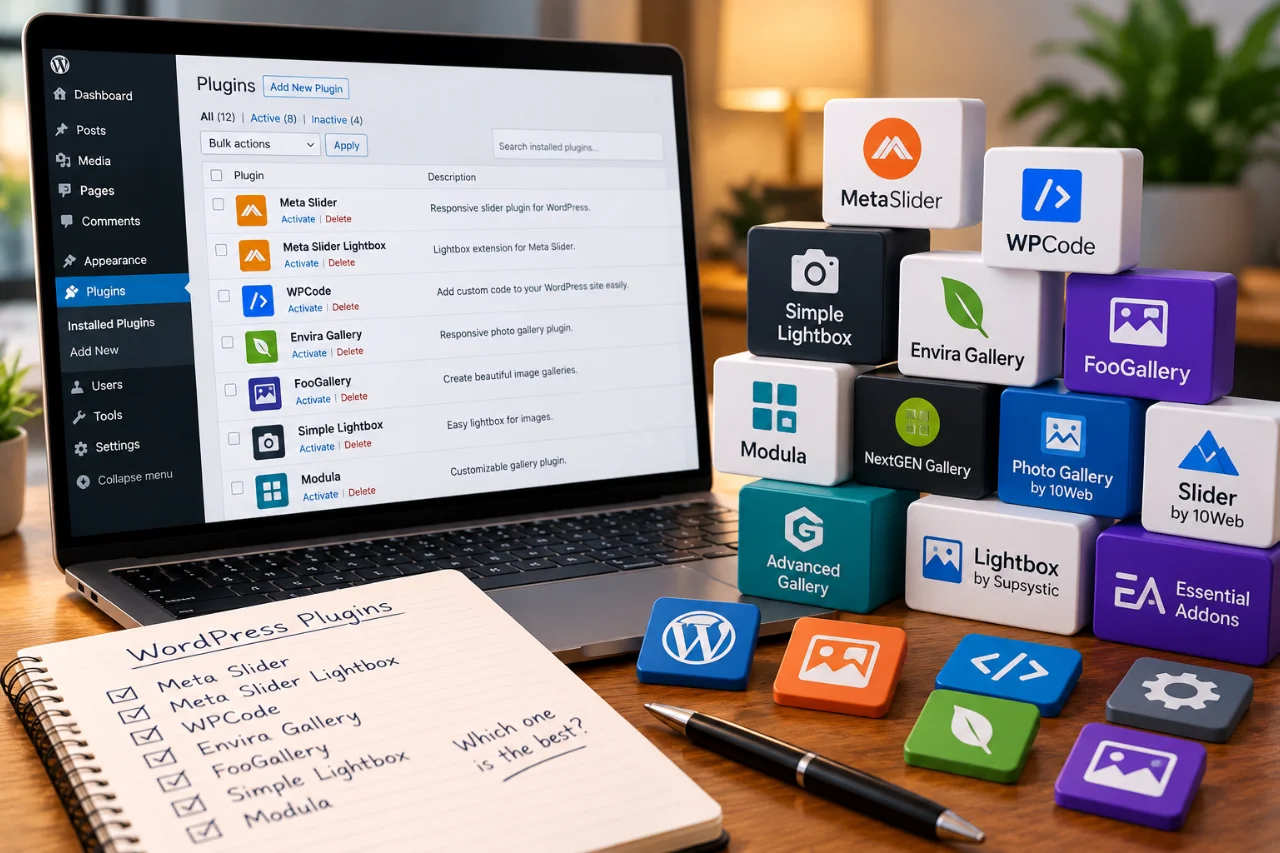
I searched for different solutions and tried several plugins. Some appeared to be designed for specific page builders, such as Elementor. Others raised questions about compatibility with Gutenberg, my theme, or the WordPress version I was using.
I even installed two more plugins that morning: MetaSlider and MetaSlider Lightbox. According to an article I found, they should work together to provide the functionality I needed.
Unfortunately, that didn’t work as expected either.
All I wanted was for readers to click an image and see a larger version without leaving the article. I didn’t need slideshows, complicated galleries, or dozens of settings.
And after spending so much time on such a small feature, I started wondering: Do we really need another plugin for every little thing we want to add to our websites?
What if I ask AI to build it?
After trying different options without getting the result I wanted, I decided to approach the problem differently.
I opened Claude, explained what I wanted to achieve, and asked whether it could help.
To my surprise, the very first response included JavaScript code and an explanation of how to use it.
Seriously? After all that searching and experimenting with plugins, I suddenly had a possible solution in front of me.
But there was another question.
These days, we often see discussions about AI-generated code. Some people say it’s unreliable, messy, insecure, or full of bugs. Others claim AI can build almost anything.
I wasn’t interested in proving either side right. I just wanted my little feature to work without creating new problems for my website.
So I decided to ask another AI for a second opinion.
I copied the code into ChatGPT and asked it to review the proposed solution.
Instead of simply confirming that everything looked fine, we discussed how the feature should behave on different devices, what might go wrong, and whether anything needed to be improved.
After a few adjustments, I had a revised version ready to test.
I added it to WordPress using WPCode, a plugin I already had installed and had found useful for many other small website customizations.
Yes, I know. I was trying to avoid plugins while using a plugin! 😂
But there was an important difference: I wasn’t installing another dedicated plugin just to enlarge images. WPCode was already part of my website, and I could use it to add a small piece of custom functionality.
And it actually worked!
We tested the solution, made a few adjustments, and eventually got exactly the result I had imagined.
Now, when someone clicks an eligible image in one of my articles, it opens in a larger view over a darkened background. The reader can examine the image and close it without leaving the page.
Want to see the result? Click the image above to enlarge it. You’ll see the lightbox we created with AI assistance in action—no extra image needed.
Was everything perfect from the first attempt? Of course not.
At one point, the feature worked on one article but not another. We investigated with Chrome DevTools and eventually found that clearing the LiteSpeed cache resolved the issue.
I’m not going to explain every technical detail here, because that’s not the point of this story.
The interesting part is that I didn’t have to understand every line of JavaScript to participate in the process.
I knew what I wanted. I could explain the expected behavior, test the result, describe what wasn’t working, and ask AI to help investigate.
And together, we got there.
That was satisfying.
But the story wasn’t quite finished.
The unexpected discovery: WordPress could already do something similar!
Just when I thought everything was done, we accidentally discovered something rather funny.
WordPress already had a built-in image enlargement feature called “Expand on click.”
Yes. After all those plugin searches, installations, experiments, and AI conversations! 😂
So how did we miss it?
It turned out that the image I was working with already had a link assigned to it. In the editor menu we were using, the enlargement option wasn’t visible while that link remained.
Once we removed the existing image link, the Expand on click option appeared. You can read more about image options in the WordPress Image block documentation.
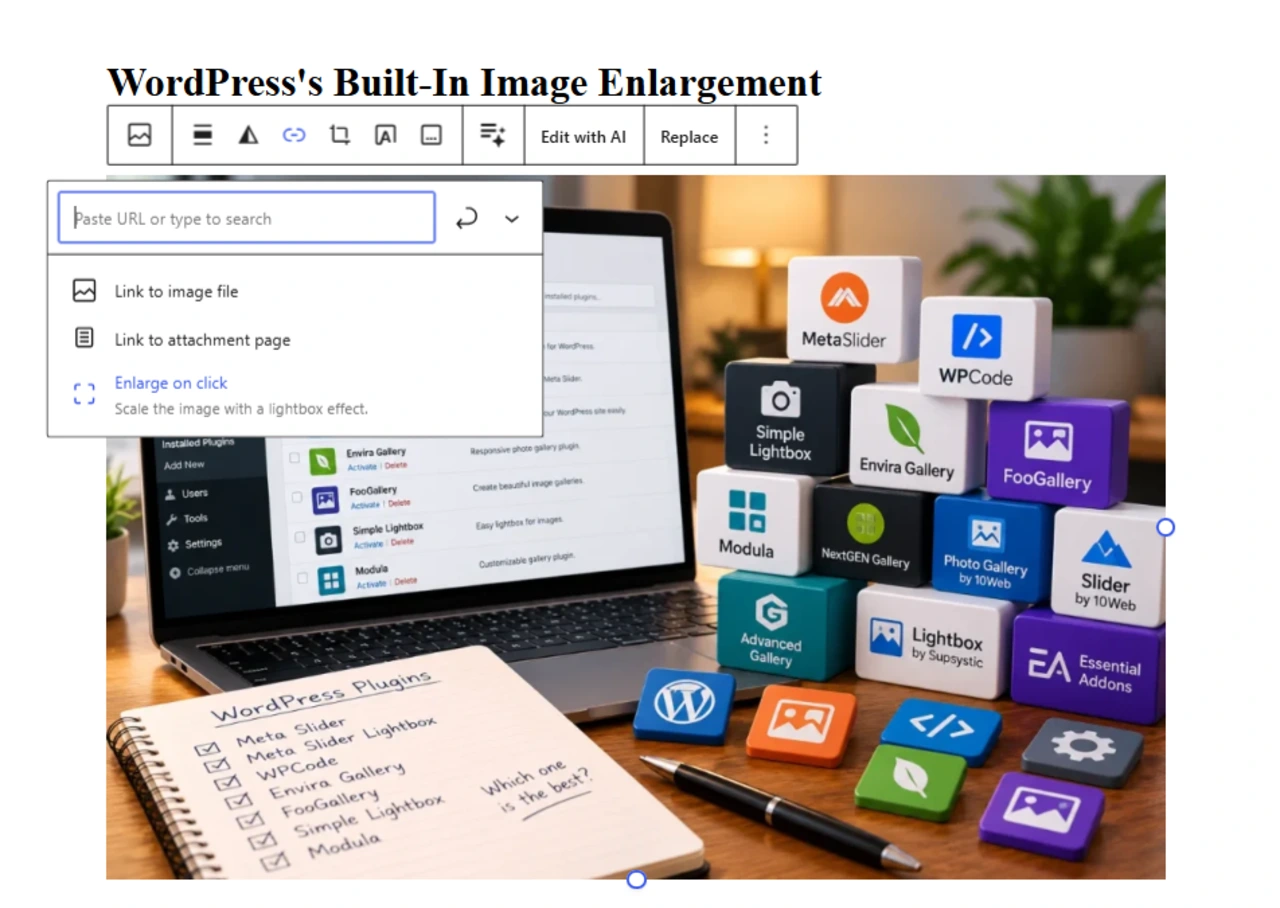
We enabled it and compared the result with our custom solution.
WordPress’s built-in viewer enlarged the image against a light background that covered the article. Our custom version opened the image over a darkened, semi-transparent background, leaving the page visible underneath.
Both did the basic job, but they looked and felt different.
Could someone with WordPress development experience customize the built-in viewer using CSS, and perhaps a little JavaScript, to achieve something similar? Most likely.
But our solution was already working, and I preferred how it looked.
So I decided to keep it.
And no, I don’t regret the time we spent building it.
Without that experience, I wouldn’t have learned nearly as much about what AI could help me accomplish.
Does that mean WordPress plugins are unnecessary?
Not at all.
Plugins are incredibly useful, and many provide functionality that would be difficult or impractical to recreate with a small piece of custom code.
A dedicated lightbox plugin, for example, might offer image galleries, navigation between pictures, zoom controls, animations, and many other features.
For someone who needs those capabilities, installing a well-maintained plugin could be the right decision.
WordPress itself also includes more functionality than we sometimes realize. As my experience demonstrated, finding a built-in option isn’t always as straightforward as it sounds.
And then there’s a third possibility: creating a small, tailored feature with AI assistance.
None of these approaches is automatically better than the others.
What matters is understanding what you’re trying to achieve and choosing a solution that makes sense for your website.
The bigger lesson: AI gives us another option
Looking back, the most interesting part of this experience wasn’t the image lightbox itself.
It was realizing that something I previously would have approached only by searching for existing software could also be created with AI assistance.
And this isn’t limited to enlarging images.
Maybe you want a custom table that behaves differently from the standard WordPress block. Maybe you’ve imagined a small interactive element, a special layout, or a feature that none of the plugins you’ve found handles quite the way you want.
Until recently, many website owners would have faced a familiar choice: find an existing tool, hire a developer, or give up on the idea.
Now there’s another possibility.
You can explain what you’re imagining to an AI assistant and explore whether it can help you build it.
That doesn’t mean AI-generated code is always correct or safe. Testing still matters, and complex or security-sensitive functionality may require an experienced developer.
But for smaller, well-defined ideas, the possibilities are genuinely exciting.
There’s something else I learned during this experiment, too.
Working with AI isn’t simply about asking a question and copying the answer.
The way we explain our ideas, describe the expected result, provide context, and communicate what isn’t working can make a big difference.
There’s a name for this: prompt engineering.
It’s a subject I plan to explore in another article, because I believe learning how to communicate effectively with AI is becoming an increasingly useful skill—not just for programmers, but for anyone who wants to turn ideas into practical results.
And perhaps that’s the most important thing I’d like you to take away from this experience.
The next time you’re searching for a plugin or struggling to find a tool that does exactly what you need, consider another possibility.
What if you could create that little feature yourself, with some help from AI?
Sometimes the solution is already there. You just need to find it, and perhaps customize it.
Other times, AI can help you build something closer to what you imagined.
Either way, the ability to experiment and create is becoming accessible to more people.
And I think that’s one of the most interesting things about the future of technology.
If you’d like another real-world example, read how we approached building a WordPress tool with ChatGPT, Easy MCP AI and WPVibe.
Happy learning, and see you in the next article!