
Digital Skills and Learning

EdTech in Cyprus and Southeastern Europe: Digital Skills and Learning

EdTech can support digital-skills education in Cyprus and Southeastern Europe by giving learners more opportunities to explore technology, practice practical skills and access learning beyond the traditional classroom. It is not a replacement for teachers or education reform, but it can be one useful part of a broader digital-skills strategy.

Why digital skills matter in Cyprus and Greece

Digital skills are increasingly important across education and employment in Europe. The European Union’s Digital Education Action Plan 2021–2027 focuses on building a stronger digital education ecosystem and improving digital skills and competences.

The need is visible at country level as well. The European Commission’s 2025 Digital Decade report for Cyprus said that 49.46% of the population had at least basic digital skills, while noting persistent gaps between age and education groups. For Greece, the Commission identified increasing the number of ICT specialists as one of the country’s major digital-transition challenges.

Eurostat reported that ICT specialists represented 5.0% of EU employment in 2025. Greece was at 2.5%, among the lowest shares in the EU. Cyprus, by contrast, has recently been around the EU average for ICT specialists in employment. These figures do not by themselves measure the quality of school education, but they illustrate why digital-skills development remains an important policy and education topic in the region.

What can EdTech add to technology education?

Technology education can be difficult to keep current because tools, platforms and job roles change quickly. Digital learning platforms can complement schools by giving students structured exposure to areas such as coding, game development, digital art, UI/UX, web development and other creative-technology subjects. For learners exploring where to begin, our guide to online tech learning resources for teens compares several practical starting points.

  • Practical exploration: learners can try tools and subjects before making education or career decisions.
  • Flexible access: online material can be used at school or independently.
  • Visible progression: quizzes, projects and milestones can help learners understand what they have completed and what comes next.
  • Broader career awareness: students can encounter technology roles that may not be covered in a traditional curriculum.

Gamification can help, but design matters

Gamification is one approach used by some EdTech platforms. Levels, achievements, quizzes and interactive challenges can make progress easier to see and can encourage active participation. Their educational value, however, depends on whether the game mechanics support meaningful learning rather than simply adding rewards. Our overview of game-based learning looks more closely at the distinction between using games for learning and simply adding game mechanics.

TechTitans Cloud as a Cyprus-based example

TechTitans Cloud is one Cyprus-based example of a platform focused on technology and creative-skills learning. It combines video lessons and quizzes with gamified progression across subjects including game design, web development, digital art, animation, sound design, UI/UX and computer literacy.

The platform is relevant here as an example of how independent EdTech products can complement formal education. Whether a school, family or learner should use a particular platform depends on factors such as curriculum fit, learner age, language, teaching objectives, accessibility and cost.

Why local-language access matters

English dominates much of the world’s technology documentation and online learning material. Providing technology education in local languages can therefore lower an initial barrier for learners who are still developing their English skills. At the same time, exposure to English technical terminology remains useful because many professional tools and resources use it.

What should schools and policymakers look for?

Adopting EdTech is not simply a matter of buying access to a platform. Schools and policymakers need to consider learning outcomes, teacher support, accessibility, data protection, curriculum alignment and evidence of effectiveness. Digital platforms work best when they have a clear role within a broader education strategy.

For Cyprus, Greece and the wider region, the opportunity is therefore broader than any single product: give more learners practical exposure to digital and creative technologies while supporting educators rather than trying to replace them. For students thinking beyond individual courses, our guide to career readiness for students connects practical skills and projects with future study and work.

Related TechEduCareer guides

For practical next steps, see our guide to digital skills for teenagers and online technology learning resources for teens.


Sources and further reading

Website promotion and digital marketing concept

How to Promote a New Website: A Practical Launch Checklist

Promoting a new website starts with making it technically discoverable, then giving the right audience genuine reasons to visit, mention and link to it. A practical launch plan combines search indexing, useful content, relevant communities, appropriate directories or launch platforms, measurement and ongoing outreach. No single directory or backlink guarantees rankings or traffic.

1. Make sure search engines can discover the website

Before promoting a site widely, check the basics: important pages should be crawlable and indexable, internal links should connect the main sections, and the site should have a sitemap. Google says it primarily discovers pages through links from pages it already knows, while a sitemap can also help communicate the URLs you care about.

Set up Google Search Console and use URL Inspection for important new or substantially updated pages. For larger groups of URLs, submit and maintain the sitemap rather than requesting each page individually.

2. Publish content that gives people a reason to visit

Promotion works better when the destination is useful. Create pages that answer real questions, explain the product or service clearly, demonstrate expertise, or provide original information that people may want to reference.

Google’s SEO guidance emphasizes helpful, reliable, people-first content and recommends keeping previously published material accurate and up to date. That is a stronger long-term foundation than creating pages mainly to attract search engines.

3. Use launch platforms when they fit the product

For a new digital product, Product Hunt can be useful for introducing the product to its community and gathering feedback. It is not appropriate for every website, and a listing does not guarantee traffic or search rankings.

Product Hunt’s current launch guidance recommends that makers become familiar with the community before launching. Makers can post their own products, and Product Hunt specifically says there is no need to use a third-party hunter. Its rules also distinguish between sharing a launch and directly asking people for upvotes.

4. Create profiles on relevant business and product platforms

Company and product profiles can help people verify what an organization does and discover it in places they already use. Depending on the business, relevant platforms may include Crunchbase, G2, Clutch, GoodFirms, F6S or a specialist industry directory.

Choose platforms because their audience and category are relevant, not simply because they offer a link. Keep company names, descriptions, URLs and other factual information consistent across profiles. A directory listing should be treated as a discovery and credibility channel; do not assume that the presence or link type will automatically improve rankings.

5. Participate in communities instead of dropping links

Relevant LinkedIn communities, Reddit discussions, professional forums, industry groups and other social platforms can introduce a new site to potential users. The useful approach is to contribute to discussions where the site’s content or product genuinely answers a need.

Repeatedly posting promotional links without context can have the opposite effect. Google also cautions that website promotion can be overdone and that manipulative practices may harm search performance.

6. Earn mentions and links through useful work

Backlinks are most valuable as a consequence of being worth referencing. Original research, practical guides, useful tools, data, case studies and expert contributions give other publishers a concrete reason to mention a website.

Relevant outreach can help those resources reach journalists, bloggers, educators, partners or industry publications. Focus on whether the mention reaches the right audience and provides editorial value rather than chasing a particular third-party authority score.

7. Use social media and email to build repeat audiences

Share new resources through the channels where the intended audience already spends time. That might include LinkedIn for professional audiences, specialist communities for technical subjects, or an email newsletter for people who have chosen to receive updates.

The objective is not simply a one-day traffic spike. Repeat visitors, subscribers, branded searches and genuine recommendations are stronger signs that the site is becoming known to its audience.

8. Measure what actually brings useful visitors

Use analytics and Search Console to distinguish activity from results. Track which channels generate engaged visitors, which pages receive search impressions and clicks, which external sites send referral traffic, and which content attracts useful mentions or links.

When sharing campaign links that you control, consistent UTM parameters can make referral campaigns easier to compare in analytics.

9. Keep promotion relevant to the type of website

  • SaaS or software: product communities, software review platforms, integration ecosystems and technical content may be relevant.
  • B2B services: professional networks, industry directories, case studies and expert contributions may be more useful.
  • Education: educational communities, useful learning resources, partnerships and specialist directories may fit better.
  • Local businesses: accurate local business information, reviews and locally relevant content matter more than generic startup directories.

A practical website-launch checklist

  • Check crawlability, indexing directives, canonical URLs and HTTPS.
  • Submit or verify the XML sitemap in Search Console.
  • Create clear About, Contact and core service or product pages.
  • Publish several genuinely useful resources for the target audience.
  • Select only launch platforms and directories that fit the business.
  • Participate in relevant communities without link spam.
  • Reach out when you have something genuinely useful to reference.
  • Track search, referral and campaign performance.
  • Update content and profiles as the website evolves.

Related TechEduCareer guides

Next, see our guide to improving Google and Bing visibility.

Sources and further reading

technology recruitment and candidate hiring process

How to Hire Better in Tech, AI and Design

Better tech hiring starts with defining the skills a role actually requires, sourcing against those requirements, evaluating job-relevant evidence and using a consistent interview process. For specialist roles in software, AI, gaming and design, this can provide stronger hiring signals than relying mainly on job titles, CV keywords or informal interviews.

Why specialist tech recruitment can be difficult

Technical and creative roles often combine several requirements: specific tools or technologies, evidence of practical work, communication skills, domain knowledge and the ability to operate within a particular team. A large applicant pool therefore does not necessarily mean a strong shortlist.

Recruiter reviewing candidate profiles for a technology role

The OECD describes skills-first hiring as an approach that focuses on skills, competencies and abilities rather than primarily on how those skills were acquired. It can broaden access to talent, although implementing it well requires employers to invest time in defining and evaluating the skills that matter.

1. Define the role before searching for candidates

Start with the work the person will actually perform. Separate genuine must-have capabilities from technologies or experience that can be learned after joining. For a software engineer this might include system design, debugging and collaboration; for a designer it could include portfolio evidence, research, interaction design and communication.

A clear role definition gives recruiters, hiring managers and candidates the same reference point and makes later screening more consistent.

2. Source beyond incoming applications

Job boards can be useful, but specialist searches may also require active sourcing. Depending on the role, relevant evidence can appear in professional networks, GitHub repositories, portfolios, industry communities, previous projects and referrals.

The goal is not simply to generate more applications. It is to find people whose experience and demonstrated skills match the requirements defined at the beginning of the search.

3. Evaluate evidence that is relevant to the job

Hiring process planning for a specialist technology position

For technical and creative positions, evidence may include portfolios, shipped products, GitHub contributions, case studies, work samples or role-specific assessments. The assessment should resemble the real work closely enough to provide useful information without creating an unnecessarily burdensome process for candidates.

4. Use structured interviews and consistent scoring

Structured interviews use predefined job-relevant questions and consistent scoring criteria. Guidance from the UK government and CIPD notes that structured interviews can make candidate comparisons more consistent and help reduce bias compared with unstructured conversations.

Before interviews begin, the hiring team should agree on the competencies being assessed, the questions that test them and what strong evidence looks like. This is especially useful when several interviewers evaluate the same candidate.

5. When does an external recruiter make sense?

External recruitment support can be useful when a company lacks sourcing capacity, needs to search internationally, is hiring for a niche skill set or needs additional help building a qualified pipeline. The employer should still retain clear selection criteria and make the final hiring decision using its own requirements.

Global technology recruitment and candidate sourcing

TechTitans Cloud as a global recruitment example

TechTitans Cloud recruitment services provide one example of external sourcing for companies looking for technology and other specialist professionals. TechTitans also operates a job platform with international and remote vacancies, illustrating its broader connection between candidate sourcing and employment opportunities.

For an employer evaluating any recruitment partner, useful questions include how candidates are sourced, what screening is performed, which regions and specialties are covered, how candidate information is handled and how the recruiter works with the internal hiring team.

For a complementary view of where recruitment processes commonly fail, see our guide to common tech hiring mistakes.

A practical tech hiring checklist

  • Define the outcomes and skills required for the role.
  • Separate essential requirements from preferences.
  • Source candidates through channels appropriate to the specialty.
  • Review job-relevant evidence such as portfolios, projects or work samples.
  • Use structured questions and a consistent scoring rubric.
  • Keep candidates informed about the process and next steps.
  • Review hiring outcomes and refine the process over time.

Related TechEduCareer guides

Also see common hiring mistakes in tech and career readiness for students.

Sources and further reading

Search engine visibility and SEO concept

How to Improve Your Google and Bing Visibility Without Paying for Ads

Getting onto the first page of Google or Bing is not something any legitimate SEO method can guarantee. What you can do for free is make your website easier to crawl, understand and trust, then use search data to improve pages that already show potential.

Start with useful, people-first content

Create pages that answer a specific question or solve a real problem. Use a descriptive title, a clear introduction and headings that help readers scan the page. Avoid writing primarily to manipulate rankings or repeating keywords unnaturally.

Make each page easy to understand

  • Use one clear page title and logical heading structure.
  • Write a useful meta description for important pages.
  • Add descriptive alternative text to meaningful images.
  • Link to related pages using descriptive anchor text.
  • Keep important information in crawlable page content.

Help search engines discover your pages

Use an XML sitemap and make sure important pages are not accidentally blocked by robots.txt or a noindex directive. Internal links are especially important: a useful article that nothing else on your site links to is harder for both readers and crawlers to discover.

Use Google Search Console and Bing Webmaster Tools

Both services provide free information about indexing and search performance. Instead of guessing which keywords matter, look for pages already receiving impressions and improve them where the content does not fully answer the query.

Improve speed and mobile usability

A technically healthy site is easier to use and maintain. Compress oversized images, avoid unnecessary scripts, use responsive layouts and test important pages with PageSpeed Insights. Performance work should support the reader rather than chase a perfect score.

Earn references instead of manufacturing backlinks

Links are most useful when another relevant website chooses to reference something genuinely useful on your site. Original research, practical guides, tools, data, expert commentary and resources people want to cite give you a better foundation than mass directory submissions or link exchanges.

Measure, update and repeat

SEO is iterative. Review search queries, indexing problems, engagement and outdated information. Update pages when facts change, strengthen weak sections and connect related articles with internal links. A small site with a coherent subject focus can be more useful than a large collection of disconnected pages.

Can free SEO really get you onto page one?

It can improve your chances, but there is no guaranteed free or paid method for a first-page position. Competition, relevance, site quality and the search engine’s interpretation of the query all matter. A better objective is sustainable search visibility: publish genuinely useful information, make it technically accessible and improve it using real performance data.

For a broader launch-stage approach that includes discovery, communities, directories and promotion as well as search, see our guide to promoting a new website.

Useful official resources

TechTitans Cloud gamified technology learning platform

TechTitans Cloud: Gamified Learning for Creative Technology

TechTitans.cloud gamified technology learning platform

What is TechTitans Cloud?

TechTitans Cloud is a gamified technology-learning platform focused on practical creative and digital skills. Learners use self-paced video lessons, quizzes and game-style progression across subjects such as game design, web development, digital art, animation, sound design, UI/UX and computer literacy.

The platform is operated by TECH-TITANS CREATIVE TECHNOLOGY HUB (CYPRUS) LTD and is designed for learners aged 13 and above. Current subjects, access conditions and pricing should be checked on the TechTitans Cloud website.

How does TechTitans Cloud work?

The learning model combines structured lessons with quizzes, practical activities and progression mechanics. Rather than treating gamification as a substitute for learning, the platform uses game-style elements to make progress visible while learners work through technology and creative-skills content.

For a broader explanation of the educational approach, see our independent guide to game-based learning.

What can you learn on TechTitans Cloud?

  • Game design and Unity
  • Full-stack web development
  • Digital art
  • Animation
  • Sound design
  • UI/UX
  • Computer literacy

The exact curriculum can evolve, so prospective learners should review the current subject pages before choosing a learning path.

Who might TechTitans Cloud suit?

The platform may be relevant to teenagers, beginners and other learners who want to explore creative technology through a self-paced format and prefer visible progression to a conventional course interface. Learners who prefer university-style courses, formal qualifications or a different teaching format may prefer other platforms.

For teenagers comparing several options, our online tech learning resources for teens guide covers a broader selection of learning platforms.

What is the gamified part?

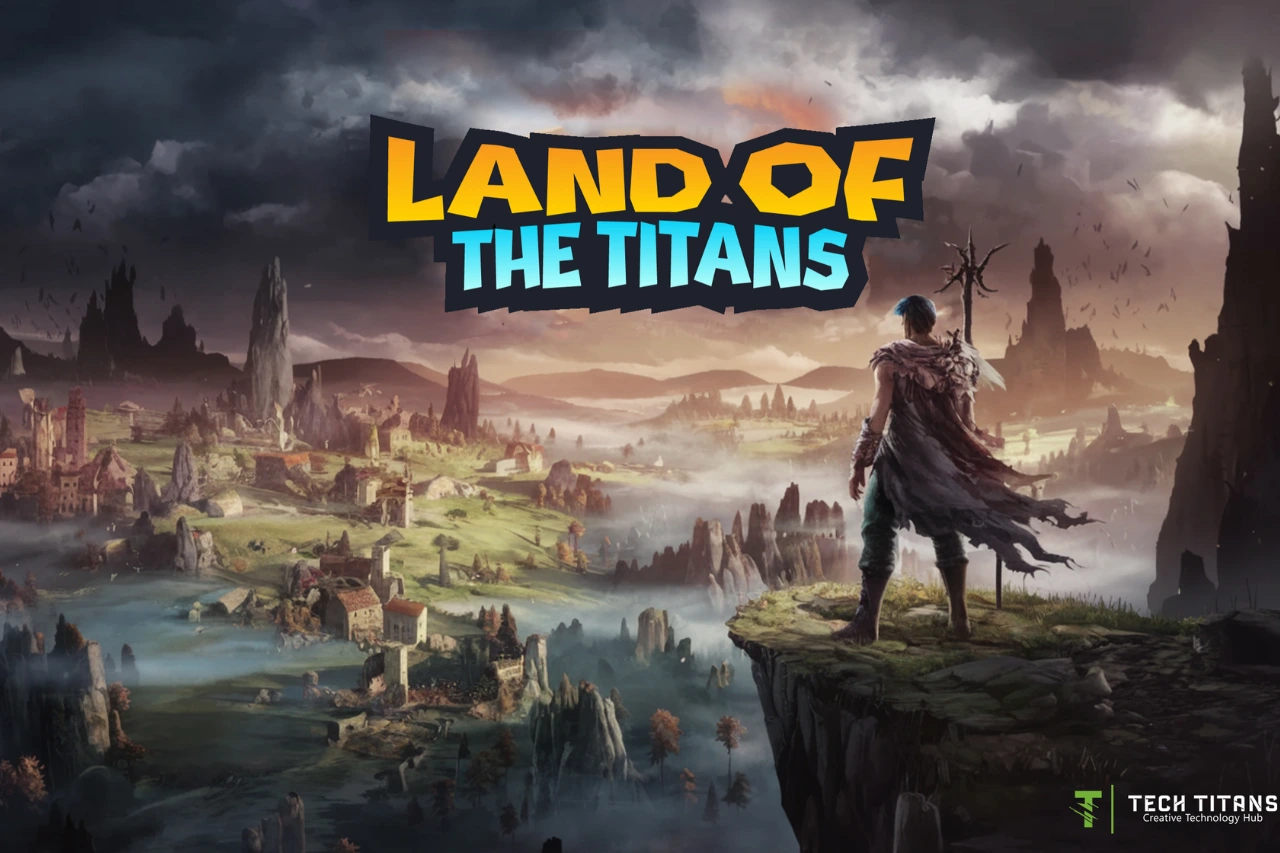
TechTitans uses progression mechanics alongside its learning content. Its game component, Land of the Titans, provides an interactive environment connected with game-development learning. The broader platform also uses quizzes and progress systems to give learners feedback and make advancement visible.

How should you evaluate the platform?

As with any online learning service, compare the curriculum, teaching format, price and access terms with your own goals. Preview available material where possible and consider what you will be able to build or demonstrate after completing a learning path.

TechTitans publishes its provider information, Terms of Use and Privacy Policy on its website. Those pages are the appropriate source for current contractual, privacy and subscription information.

Related TechEduCareer guides

Compare the platform with our online learning resources for teenagers and see which digital skills teenagers can develop before university.

Key takeaway

TechTitans Cloud combines creative-technology education with self-paced lessons, quizzes, practical activities and game-style progression. Its format is most relevant to learners who want to explore practical digital skills in an interactive learning environment; whether it is the right choice depends on the learner’s subject interests, preferred learning style and current offering.