
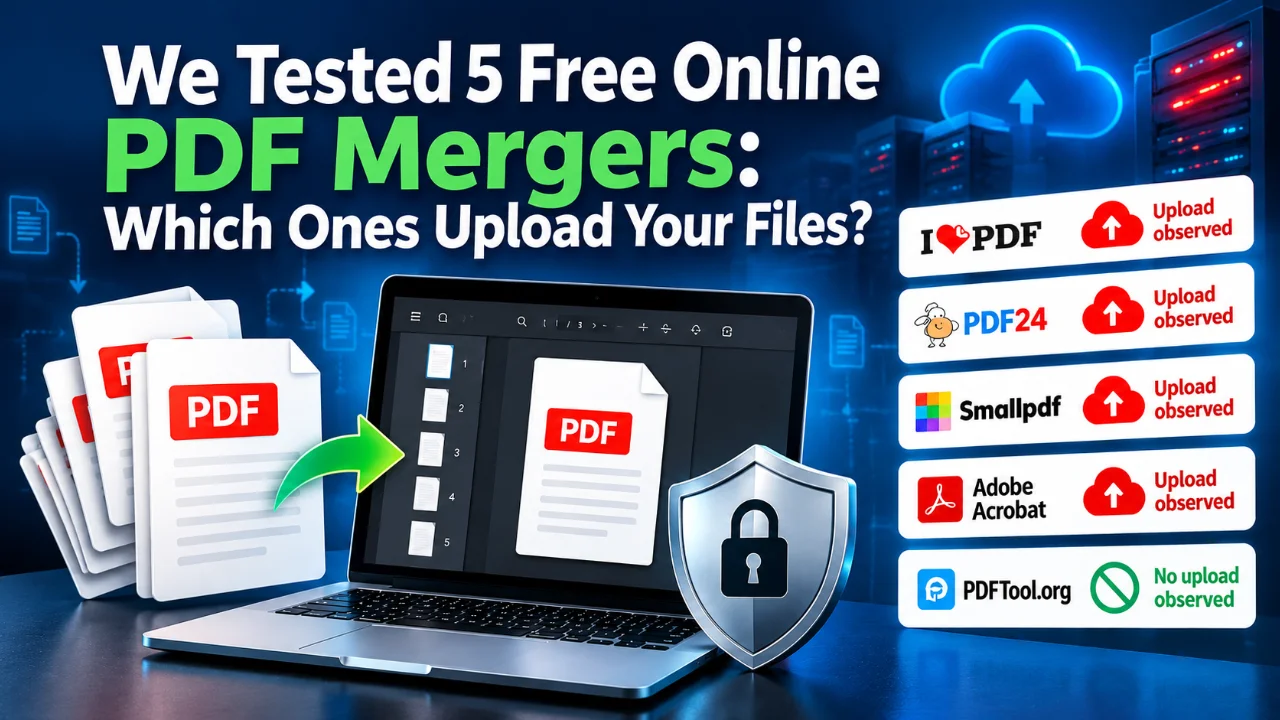
Five popular PDF mergers. The same two test documents. One browser’s Network panel. We tested what happens to your files when you merge PDFs online, including upload behavior, deletion controls, output size and usability.
Merging PDFs sounds simple: select your files, arrange them, click Merge, and download. But do your documents leave your computer? Can you delete them from the provider’s servers? And do different tools produce comparable results?
Rather than rely on marketing claims, TechEduCareer tested five services in October 2026: iLovePDF, PDF24, Smallpdf, Adobe Acrobat and PDFTool.org.
How we tested the PDF mergers
For a consistent comparison, we created two synthetic documents containing no personal information: File A (two pages, 28,371 bytes) and File B (three pages, 29,517 bytes). The expected merged sequence was A1 → A2 → B1 → B2 → B3.
Each test used Microsoft Edge InPrivate without signing in. We monitored requests in Developer Tools → Network and checked downloaded results for page count, order, extractable text, output size and watermarks. Manual deletion was also tested where offered.
Scope: Network observations can show transfers and API responses. They cannot establish permanent erasure from servers, backups or replicas. Our small synthetic PDFs are not a comprehensive performance or quality benchmark.
Comparison table: five free online PDF mergers
| Tool | Output size | PDF uploaded? | Manual deletion evidence | Result |
|---|---|---|---|---|
| iLovePDF | 30.8 KiB | Yes | DELETE request, HTTP 200 | Passed |
| PDF24 | 53.3 KiB | Yes | eraseJob request, HTTP 200 | Passed |
| Smallpdf | 5.1 KiB | Yes | UI confirmation; API not identified | Passed |
| Adobe Acrobat | 123.7 KiB | Yes | No anonymous deletion control identified | Passed |
| PDFTool.org | 29.6 KiB | No upload observed | Not applicable to apparent local workflow | Passed |
Same two input PDFs for each test; all five outputs contained the correct five pages and searchable text. Smaller size does not necessarily mean better visual quality.
1. iLovePDF: simple merging and observable deletion
iLovePDF merged both files without registration or payment. Its output was 31,545 bytes, preserved the five-page sequence and remained searchable.
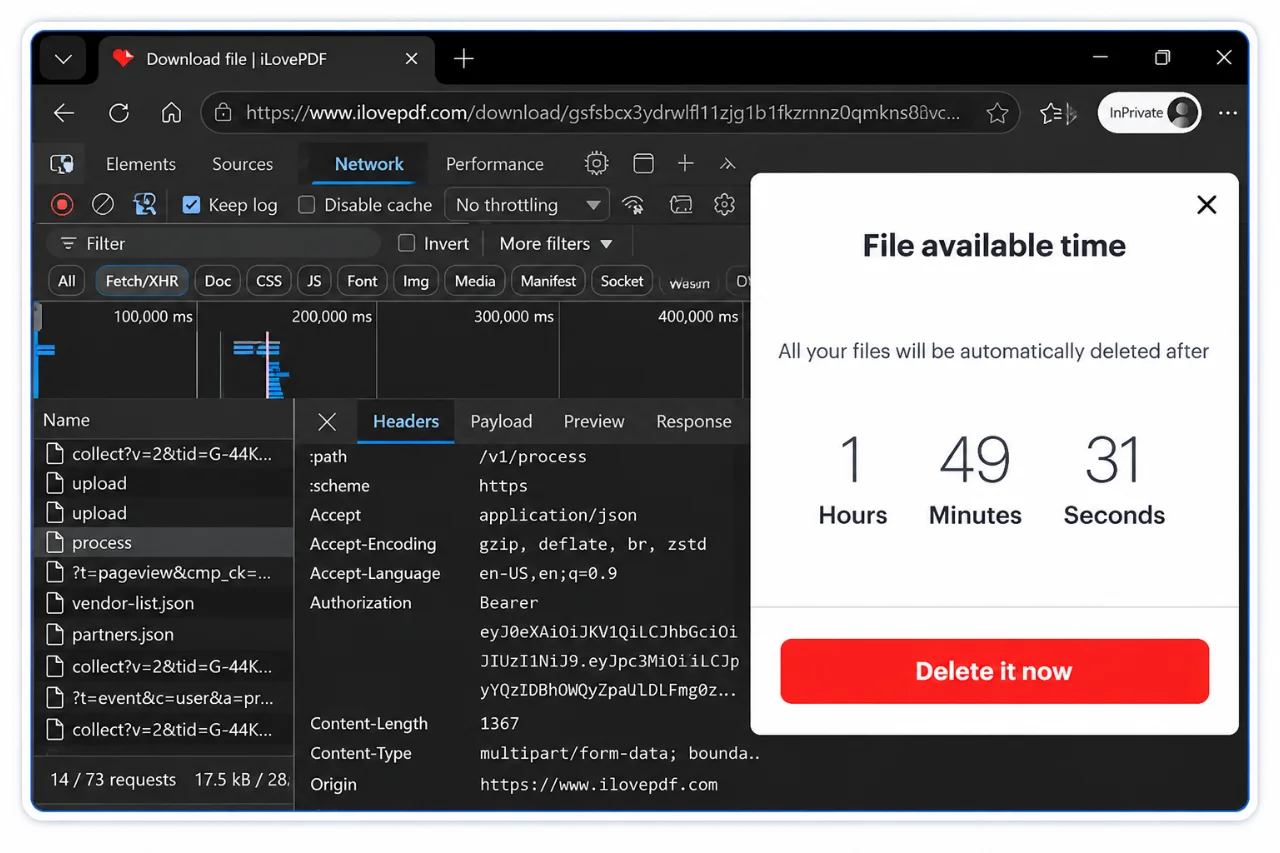
The Network panel showed two successful POST uploads to its API followed by a server-side processing request. After clicking Delete it now, the browser sent an HTTP DELETE request to its task API and received HTTP 200. A later request could no longer access that task.
This supports that the deletion operation was accepted; it does not independently prove erasure of every stored copy. The provider states that files are automatically deleted within two hours.
2. PDF24: free features and a clear erase operation
PDF24 offered additional controls, including page organization and bookmark options. The Network panel recorded upload requests and a separate joinPdf operation. The output was 54,603 bytes and passed our page-order and text checks.
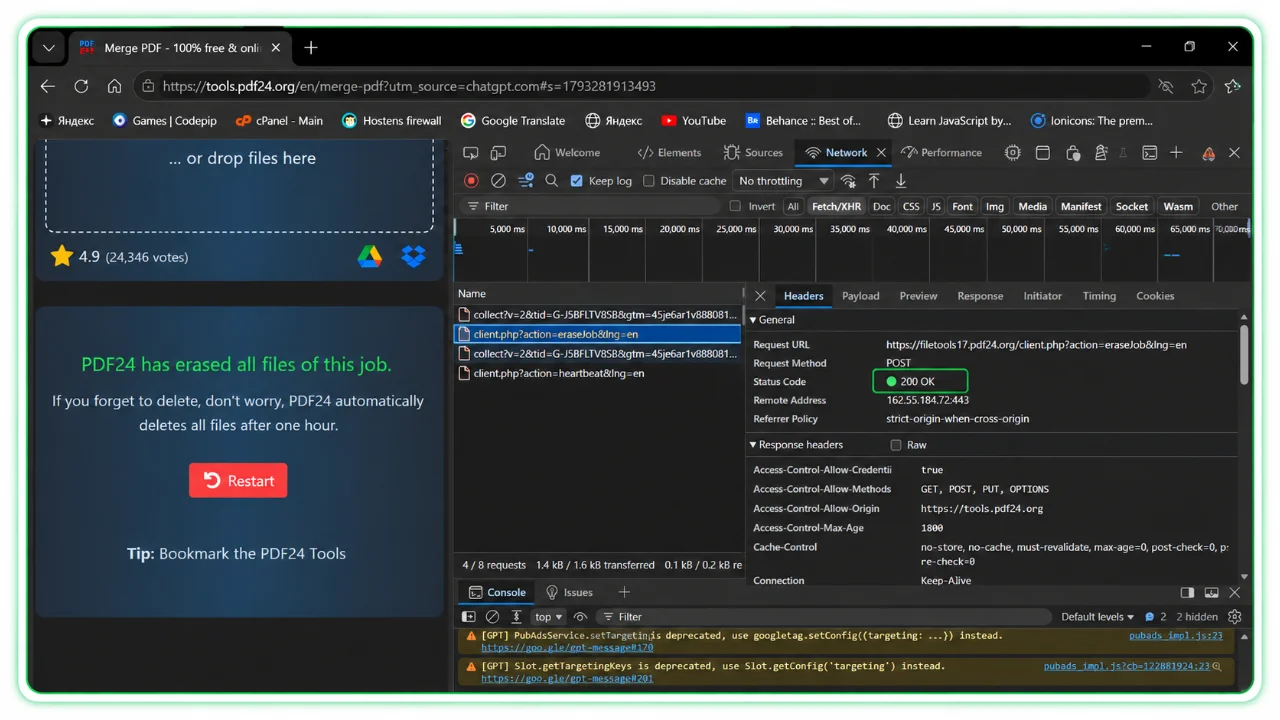
Clicking Erase produced an eraseJob POST request with HTTP 200. PDF24’s interface said files would otherwise be deleted automatically after one hour. The visible API acknowledgment is useful evidence, though not a storage audit.
3. Smallpdf: the smallest output
Smallpdf produced a strikingly small result: 5,225 bytes, with five pages and extractable text. Its interface was polished, though individual-page organization was marked as a Pro feature.
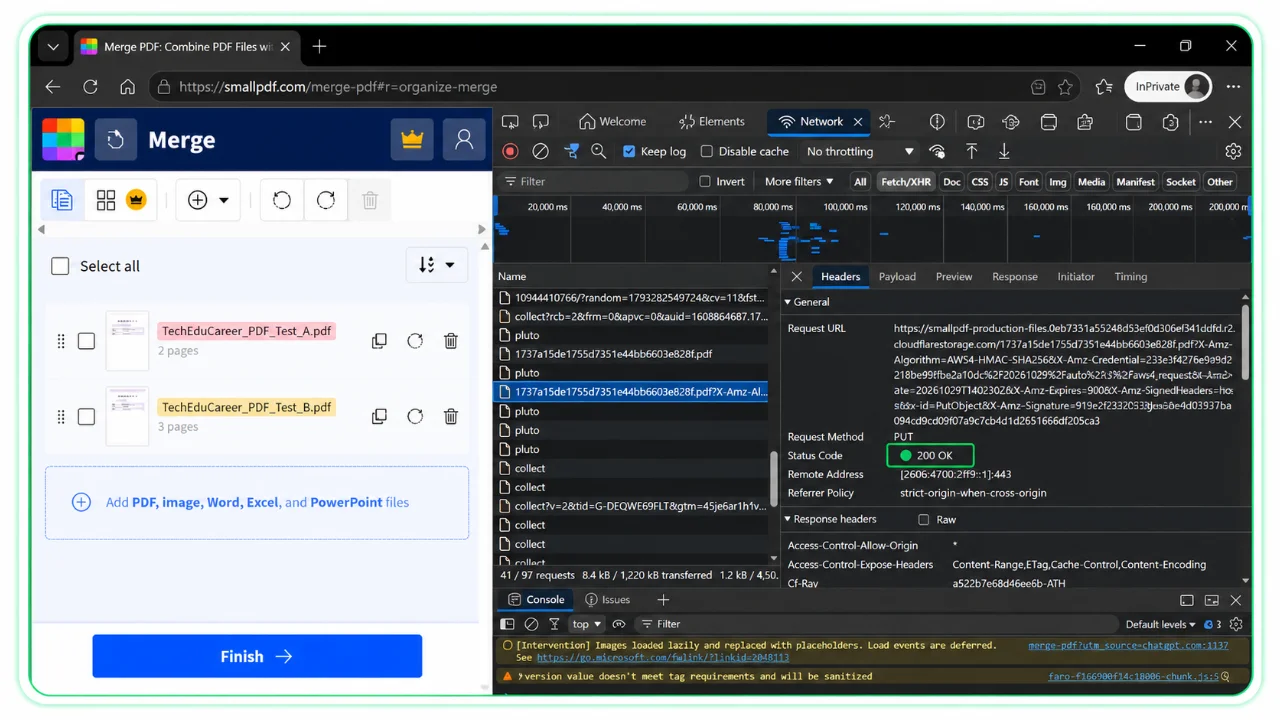
The browser obtained an upload URL and sent PDF data via signed URLs to Cloudflare R2 object storage, confirming remote transfer. After merging, Smallpdf offered manual deletion with a dialog promising permanent removal. The document disappeared from the interface, but we did not identify an explicit deletion API request in the captured log. That is not evidence that deletion failed.
Smallpdf describes automatic deletion after one hour for ordinary free-tool processing, with exceptions for some saved, shared and account-based workflows.
4. Adobe Acrobat: successful but heavier in our test
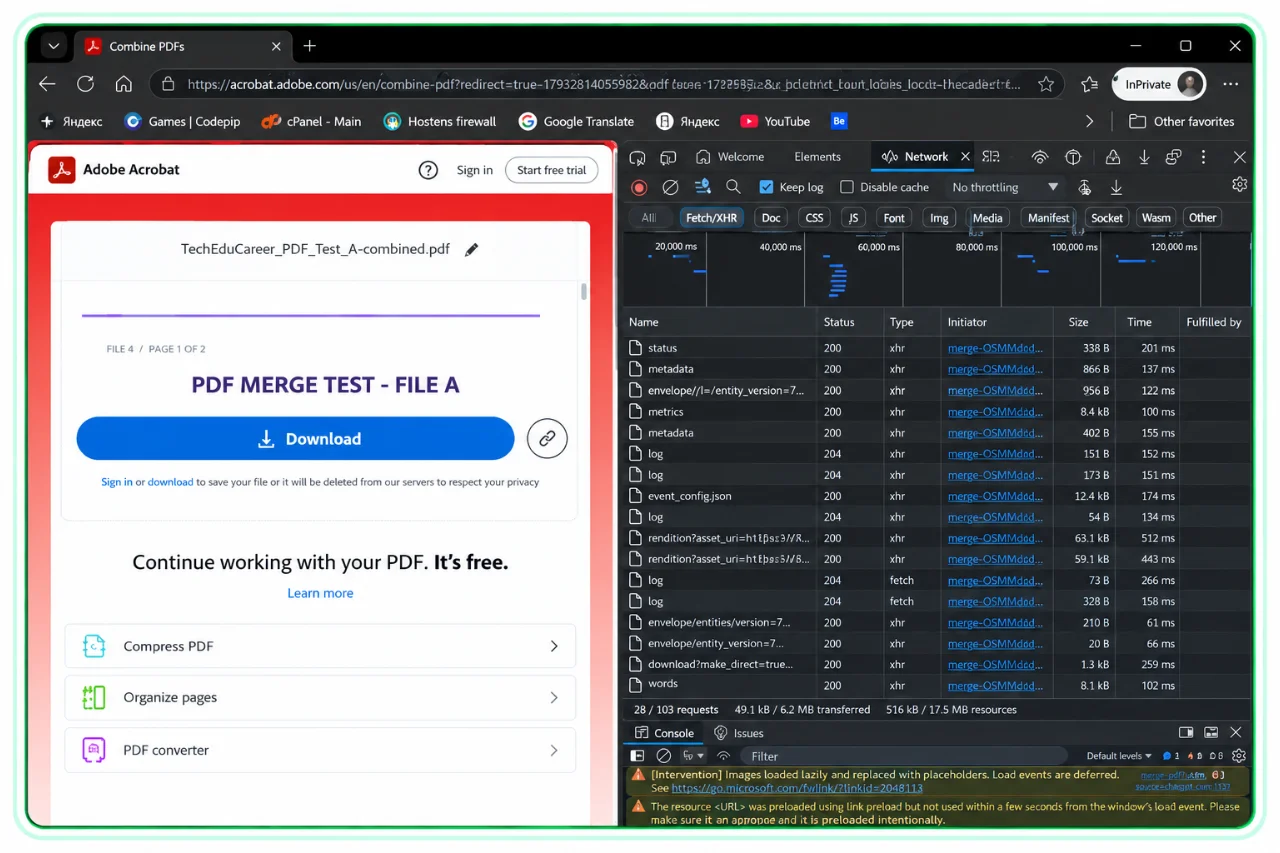
Adobe Acrobat redirected to its Acrobat web application and generated substantial page-loading and analytics activity. Cloud-document resource creation was visible before merging. Despite console warnings and errors, the merge succeeded without requiring an account.
The resulting PDF was 126,664 bytes—by far the largest output in our test. All five pages remained in order with extractable text. Adobe’s anonymous interface said files would be deleted unless saved through sign-in, but did not show us a manual deletion option or an exact retention period.
Our experience felt slower and more complicated than the other tools, but we did not conduct a controlled speed benchmark.
5. PDFTool.org: no document upload observed
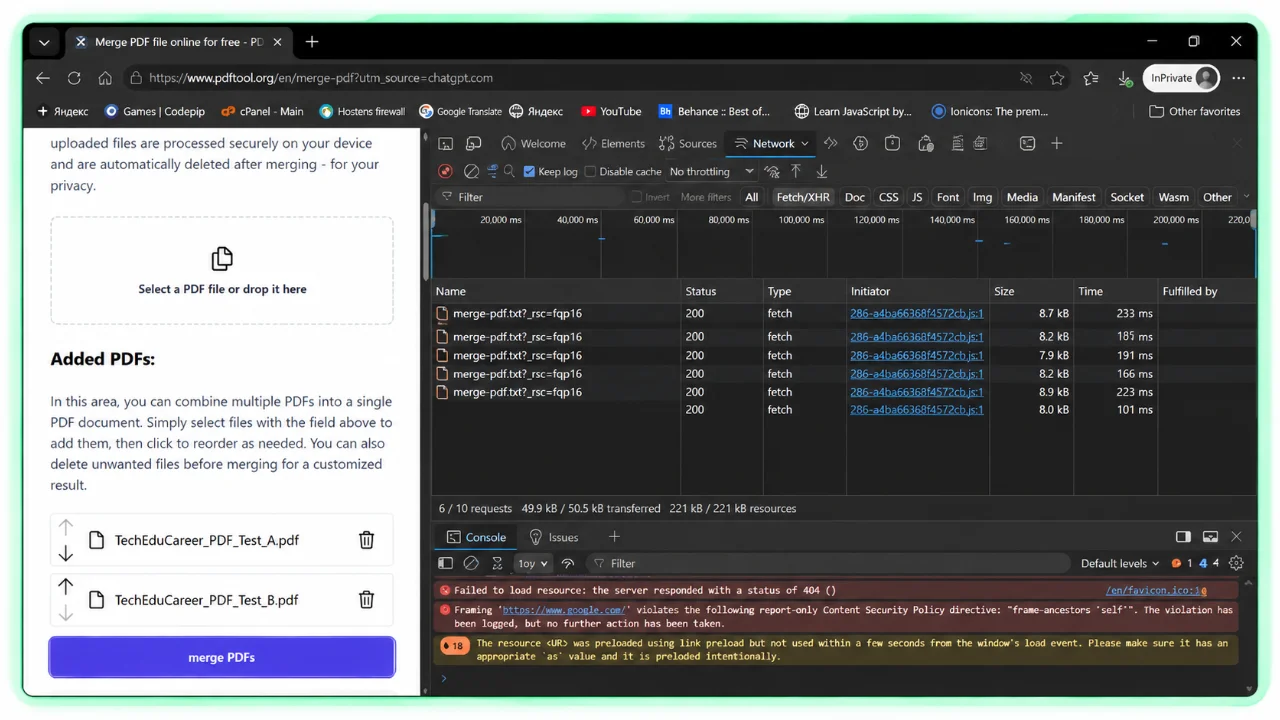
PDFTool.org claimed to process documents on the user’s device. During file selection and merging, we monitored all network requests. Unlike the four services above, we did not observe a transfer of the PDF contents.
Clicking Merge automatically downloaded a valid 30,341-byte PDF with the correct page sequence and searchable text. Because no separate success or download screen appeared, we initially thought the button had failed. That small usability issue is worth noting.
The observed network behavior is consistent with browser-local processing and makes PDFTool.org particularly interesting for privacy-conscious users. However, it is not a formal code or security audit.
Why browser-local processing matters
Cloud-based PDF mergers can use encryption and strict deletion policies, but their workflows still transfer document contents to remote infrastructure. Browser-local tools can avoid that transfer entirely when the processing is genuinely performed on-device.
Free, encrypted and browser-local are three different properties. A service can be free and encrypted while still uploading documents. Conversely, a local tool still deserves scrutiny for scripts, analytics and unexpected network behavior.
How to check whether a PDF merger uploads files
- Open the tool in Edge or Chrome using synthetic, non-sensitive test PDFs.
- Press
F12and select Network. - Enable Keep log or Preserve log and clear existing requests.
- Select your PDFs, perform the merge and keep the request log.
- Inspect
POSTandPUTrequests, destinations, request payloads and transferred sizes.
Do not search only for the word “upload”: a service may use signed cloud-storage URLs with unrelated filenames. Absence of an obvious upload is useful evidence but cannot conclusively establish that no file data ever left the browser.
What does clicking Delete actually prove?
With iLovePDF and PDF24, we observed deletion-related requests acknowledged by their servers. Smallpdf displayed a deletion confirmation and removed the document from the interface, but its deletion API was not identified. Adobe promised automatic deletion for anonymous files but offered no manual control we could find.
These differences concern observable evidence, not a definitive ranking of the providers’ internal deletion reliability. No browser test can prove that every backup or replica has been erased.
Which free PDF merger should you choose?
Minimizing document uploads: PDFTool.org was the most promising in this test, because the merge completed without an observed PDF transfer.
Feature-rich free cloud option: PDF24 offered useful controls and an observable erase request.
Simple cloud workflow: iLovePDF combined a simple experience with a clear manual deletion option.
Smallest output in this test: Smallpdf won, although one synthetic test does not establish general compression superiority.
Already using Adobe? Acrobat completed the task successfully, but its anonymous workflow was less convenient for us.
Final thoughts
All five services passed our basic merging test, but the privacy and usability differences were real. Four visibly transferred document contents to remote services; one completed the task without an observed upload. Output sizes ranged from approximately 5 KiB to 124 KiB, and deletion controls varied.
The most useful question isn’t simply “Does this PDF merger work?” It’s also “What happens to my files while it works?”
At TechEduCareer, we believe free tools should explain their limits and data handling clearly. That principle also guides the browser-based utilities in our Tools Hub.
Frequently Asked Questions
Is it safe to merge PDF files online?
It depends on the service and your documents. Cloud-based mergers receive document contents; genuine browser-local tools can avoid transferring them. Use extra caution with sensitive files.
Which PDF merger kept our test files in the browser?
PDFTool.org completed our test without an observed PDF upload, consistent with its local-processing claim. This was not a formal security audit.
Do online PDF mergers delete uploaded files?
Several providers publish retention policies. We observed successful deletion API responses from iLovePDF and PDF24, but could not independently inspect their underlying storage systems.
Does a smaller merged PDF mean better quality?
Not necessarily. Compression, fonts, metadata and internal PDF structure all affect size. All five outputs passed our basic text and page-order checks.
Can I merge PDFs without registering?
Yes. All five tools completed our basic test without requiring an account.
Testing conducted by TechEduCareer in October 2026 using synthetic PDFs and Microsoft Edge Developer Tools. Results describe the tested workflows and may change as providers update their services.