

Search engine visibility and SEO concept

How to Improve Your Google and Bing Visibility Without Paying for Ads

Getting onto the first page of Google or Bing is not something any legitimate SEO method can guarantee. What you can do for free is make your website easier to crawl, understand and trust, then use search data to improve pages that already show potential.

Start with useful, people-first content

Create pages that answer a specific question or solve a real problem. Use a descriptive title, a clear introduction and headings that help readers scan the page. Avoid writing primarily to manipulate rankings or repeating keywords unnaturally.

Make each page easy to understand

  • Use one clear page title and logical heading structure.
  • Write a useful meta description for important pages.
  • Add descriptive alternative text to meaningful images.
  • Link to related pages using descriptive anchor text.
  • Keep important information in crawlable page content.

Help search engines discover your pages

Use an XML sitemap and make sure important pages are not accidentally blocked by robots.txt or a noindex directive. Internal links are especially important: a useful article that nothing else on your site links to is harder for both readers and crawlers to discover.

Use Google Search Console and Bing Webmaster Tools

Both services provide free information about indexing and search performance. Instead of guessing which keywords matter, look for pages already receiving impressions and improve them where the content does not fully answer the query.

Improve speed and mobile usability

A technically healthy site is easier to use and maintain. Compress oversized images, avoid unnecessary scripts, use responsive layouts and test important pages with PageSpeed Insights. Performance work should support the reader rather than chase a perfect score.

Earn references instead of manufacturing backlinks

Links are most useful when another relevant website chooses to reference something genuinely useful on your site. Original research, practical guides, tools, data, expert commentary and resources people want to cite give you a better foundation than mass directory submissions or link exchanges.

Measure, update and repeat

SEO is iterative. Review search queries, indexing problems, engagement and outdated information. Update pages when facts change, strengthen weak sections and connect related articles with internal links. A small site with a coherent subject focus can be more useful than a large collection of disconnected pages.

Can free SEO really get you onto page one?

It can improve your chances, but there is no guaranteed free or paid method for a first-page position. Competition, relevance, site quality and the search engine’s interpretation of the query all matter. A better objective is sustainable search visibility: publish genuinely useful information, make it technically accessible and improve it using real performance data.

For a broader launch-stage approach that includes discovery, communities, directories and promotion as well as search, see our guide to promoting a new website.
Useful official resources

TechTitans Cloud gamified technology learning platform

TechTitans Cloud: Gamified Learning for Creative Technology

TechTitans.cloud gamified technology learning platform

What is TechTitans Cloud?

TechTitans Cloud is a gamified technology-learning platform focused on practical creative and digital skills. Learners use self-paced video lessons, quizzes and game-style progression across subjects such as game design, web development, digital art, animation, sound design, UI/UX and computer literacy.

The platform is operated by TECH-TITANS CREATIVE TECHNOLOGY HUB (CYPRUS) LTD and is designed for learners aged 13 and above. Current subjects, access conditions and pricing should be checked on the TechTitans Cloud website.

How does TechTitans Cloud work?

The learning model combines structured lessons with quizzes, practical activities and progression mechanics. Rather than treating gamification as a substitute for learning, the platform uses game-style elements to make progress visible while learners work through technology and creative-skills content.

For a broader explanation of the educational approach, see our independent guide to game-based learning.

What can you learn on TechTitans Cloud?

  • Game design and Unity
  • Full-stack web development
  • Digital art
  • Animation
  • Sound design
  • UI/UX
  • Computer literacy

The exact curriculum can evolve, so prospective learners should review the current subject pages before choosing a learning path.

Who might TechTitans Cloud suit?

The platform may be relevant to teenagers, beginners and other learners who want to explore creative technology through a self-paced format and prefer visible progression to a conventional course interface. Learners who prefer university-style courses, formal qualifications or a different teaching format may prefer other platforms.

For teenagers comparing several options, our online tech learning resources for teens guide covers a broader selection of learning platforms.

What is the gamified part?

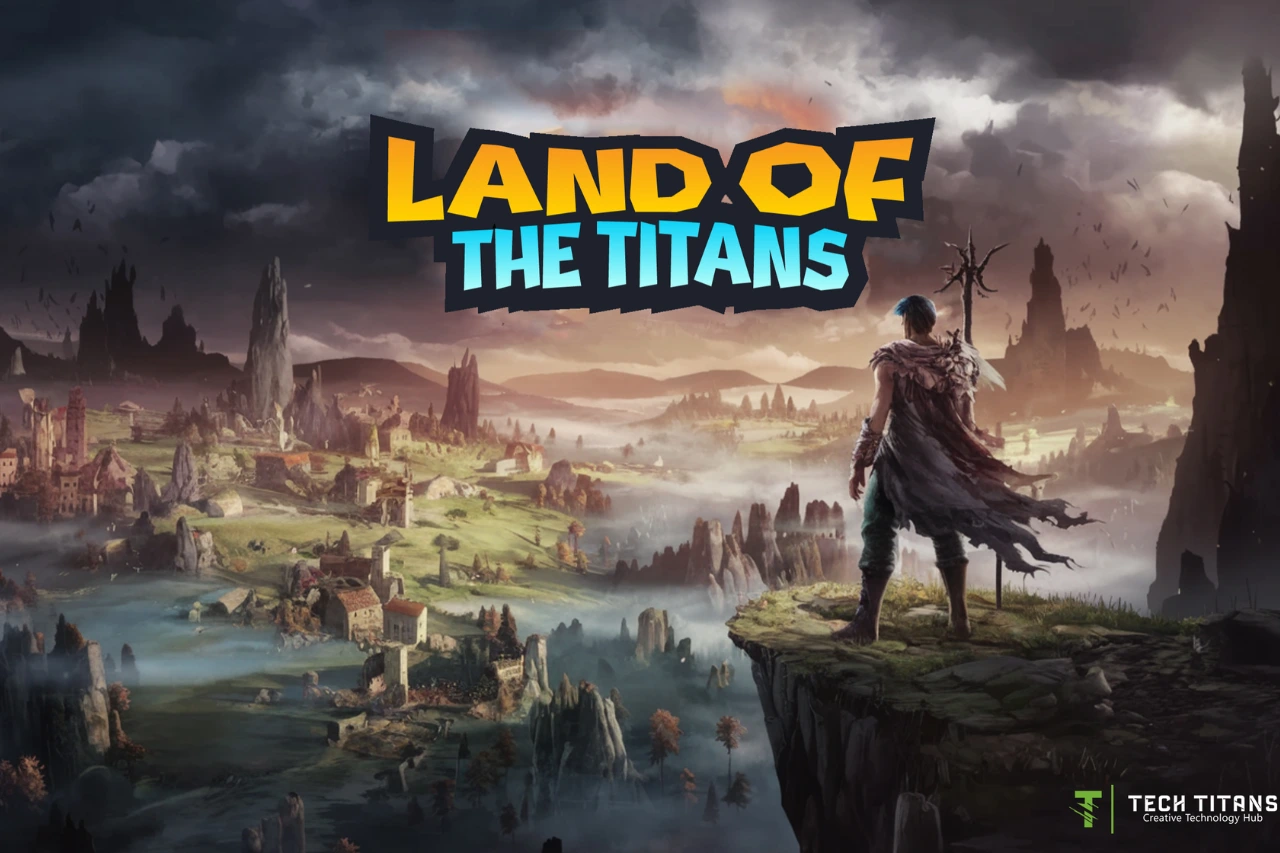
TechTitans uses progression mechanics alongside its learning content. Its game component, Land of the Titans, provides an interactive environment connected with game-development learning. The broader platform also uses quizzes and progress systems to give learners feedback and make advancement visible.

How should you evaluate the platform?

As with any online learning service, compare the curriculum, teaching format, price and access terms with your own goals. Preview available material where possible and consider what you will be able to build or demonstrate after completing a learning path.

TechTitans publishes its provider information, Terms of Use and Privacy Policy on its website. Those pages are the appropriate source for current contractual, privacy and subscription information.

Related TechEduCareer guides

Compare the platform with our online learning resources for teenagers and see which digital skills teenagers can develop before university.

Key takeaway

TechTitans Cloud combines creative-technology education with self-paced lessons, quizzes, practical activities and game-style progression. Its format is most relevant to learners who want to explore practical digital skills in an interactive learning environment; whether it is the right choice depends on the learner’s subject interests, preferred learning style and current offering.

Browser game development and programming concept

Browser Games: How They Work and What Makes Them Useful for Learning

Browser games run directly in a web browser, which makes them unusually easy to access and share. Modern web technologies can support everything from simple puzzles to 2D and 3D games, multiplayer experiences and interactive learning activities without requiring a traditional desktop installation.

What is a browser game?

A browser game is software delivered through the web and played in a compatible browser. Depending on the game, developers may use HTML, CSS and JavaScript together with technologies such as Canvas, WebGL, Web Audio, WebSockets and the Gamepad API.

Why browser games remain useful

  • Low friction: a player can usually follow a link and begin without a large installation.
  • Cross-platform reach: web standards allow developers to target many devices through a common platform.
  • Easy distribution: updates can be delivered through the website rather than separate app-store releases.
  • Good for experimentation: small games can introduce programming, design, interaction and problem-solving concepts.

Different kinds of browser games

The category is much broader than casual arcade games. Word puzzles demonstrate how a very small ruleset can create a repeatable daily challenge. Strategy games can model planning and resource management. Multiplayer games introduce real-time networking, while educational games can combine progression and feedback with learning tasks.

What can students learn from browser games?

Playing a game does not automatically create transferable skills, but games can become useful learning environments when the activity is connected to a clear objective. Building a simple browser game is even more instructive because it can combine programming logic, interface design, visual assets, sound, testing and iteration in one project.

If you are interested in the learning side of games, see our guide to game-based learning.

A gamified learning example

TechTitans.cloud is one example of using browser-based game mechanics alongside technology education. Its game component sits within a broader learning platform, illustrating how progression and interactive tasks can be combined with educational content. It is an example rather than a claim that one model is best for every learner.

Want to build a browser game?

Start small: create a simple interaction, add a scoring or state system, then test it with other people. JavaScript is a natural starting point for web-based projects; our beginner’s guide to choosing a programming language can help if you are deciding what to learn first.

Useful technical resource

Mozilla’s MDN Game Development documentation provides tutorials and references for building games with open web technologies.

Takeaway

Browser games are interesting not because they eliminate every limitation of native games, but because the web makes interactive experiences easy to distribute and experiment with. For learners, the most valuable step may be moving from simply playing a browser game to understanding how one is designed and built.

Technology team discussing the hiring process

Common Hiring Mistakes in Tech — and How to Avoid Them

Many hiring problems begin before the interview. An unclear role, overly broad requirements, weak screening criteria or inconsistent interviews can make it harder to identify the right candidate. A better process defines the work first, evaluates job-relevant evidence and compares candidates using consistent criteria.

What are the most common hiring mistakes?

Hiring mistakes are not limited to choosing the wrong person. They can occur throughout recruitment: defining the role poorly, attracting the wrong applicant pool, screening on weak signals, using inconsistent interviews or creating unnecessary delays. In specialist technology roles, where skills can be highly specific, these problems can become especially visible.

1. Starting the search before defining the role

A long list of technologies is not the same as a clear job specification. Before sourcing candidates, define the outcomes the person will be responsible for, the skills genuinely required on day one and the capabilities that can be learned after joining.

This also helps separate must-have requirements from preferences. CIPD’s recruitment guidance treats defining the role as a core part of the recruitment process and emphasizes matching workforce skills to organisational needs.

2. Treating application volume as candidate quality

More applications can increase the screening workload without necessarily producing a better shortlist. For specialist roles, employers may need a mix of inbound applications, referrals and active sourcing rather than relying on a single high-volume channel.

The useful measure is not how many CVs arrive, but how many candidates provide credible evidence against the requirements of the role.

3. Screening mainly by job titles, degrees or CV keywords

Titles vary considerably between companies, and a keyword match does not show how well someone can perform the work. Where appropriate, employers can look at job-relevant evidence such as portfolios, shipped products, code samples, case studies or carefully designed work-sample tasks.

CIPD guidance notes that skill-based assessment tasks should resemble real work as closely as possible and can provide useful evidence alongside interviews and other selection methods.

4. Using unstructured interviews

An informal conversation can feel natural, but it makes direct comparison between candidates difficult when each person receives different questions or is judged against different standards.

Structured interviews use predefined job-relevant questions and consistent scoring criteria. UK government guidance says this approach can support fairer, more consistent comparisons and reduce the influence of bias in selection.

5. Confusing “culture fit” with similarity

Hiring for vague “fit” can encourage subjective decisions. A more useful approach is to define the behaviours actually needed for the role and team: for example, how someone communicates technical trade-offs, responds to feedback, collaborates across functions or works through uncertainty.

Those behaviours can then be assessed with the same evidence-based questions used for other competencies.

6. Making assessments unrelated to the real job

A lengthy generic assignment may consume candidate time without revealing much about likely performance. Assessments should have a clear purpose and, where practical, resemble tasks the successful candidate would actually perform.

For a developer this might be debugging or discussing a design decision; for a UX designer, explaining a portfolio case and reasoning through a user problem may be more informative than an unrelated exercise.

7. Allowing the recruitment process to drift

Unclear ownership, repeated interview rounds and slow feedback can make recruitment harder for both the employer and the candidate. Before opening a role, agree who screens applications, who interviews, what each stage evaluates and who makes the final decision.

CIPD also notes that timely follow-up and a professional interview process contribute to candidate experience and employer reputation.

When can an external recruiter help?

External recruitment support can be useful when an employer needs additional sourcing capacity, is searching internationally or is recruiting for a niche skill set. It does not replace a clear internal hiring decision: the company still needs to define the role, agree its selection criteria and decide which candidate best meets its needs.

TechTitans Cloud recruitment services are one example of external sourcing support for technology and specialist roles. Companies comparing recruitment partners should examine relevant sector experience, sourcing methods, screening practices, geographic coverage and how the recruiter works with the internal hiring team.

For the broader process—from defining the role through sourcing and structured interviews—see our guide on how to hire tech talent.

A simple hiring-process checklist

  • Define the role outcomes before publishing the vacancy.
  • Separate essential skills from preferences.
  • Choose sourcing channels that match the role.
  • Evaluate evidence relevant to the actual work.
  • Use consistent interview questions and scoring criteria.
  • Keep assessments proportionate and job-related.
  • Assign ownership and timelines for every hiring stage.
  • Review the process after the hire and improve weak points.

Related TechEduCareer guides

Continue with our guide to hiring better in tech, AI and design and see which skills help students prepare for a changing tech workplace.

Sources and further reading

For more on hiring across specialized technology roles, see our guide to modern recruitment challenges in tech, AI and design.

Student developing skills for a future technology career

Career Readiness for Students: Skills for a Changing Tech World

Career readiness is not about predicting one perfect job. For students interested in technology and creative work, it means developing a combination of technical literacy, problem-solving, communication, adaptability and the ability to keep learning as tools and roles change.

What does career readiness mean for students?

A career-ready student can explore options, understand their current strengths, identify skills they need to develop and demonstrate what they can do. Academic knowledge still matters, but employers also value analytical thinking, resilience, collaboration, creative thinking and technological literacy.

Which skills are becoming more important?

The World Economic Forum’s Future of Jobs Report 2025 says employers expect a substantial share of workers’ core skills to change by 2030. AI and big data, networks and cybersecurity and technological literacy are among the fastest-growing skill areas, while creative thinking, resilience, flexibility and lifelong learning are also expected to rise in importance.

Explore creative technology, not just job titles

Creative technology brings technical and creative work together. A student might explore game design, web development, UI/UX, digital art, animation or sound design. Trying several areas through small projects is often more informative than choosing a career based only on a job title.

Build evidence of your skills

  • Create small projects you can explain clearly.
  • Keep examples of your work in a simple portfolio.
  • Learn to describe the problem, your process and what you would improve.
  • Work with other people when possible so you practise feedback and collaboration.
  • Review your interests periodically instead of treating an early choice as permanent.

Where can students start learning?

There is no single platform that fits every learner. Free documentation, school projects, online courses and project-based learning can all be useful. Our guide to online tech learning resources for teens compares several starting points.

TechTitans.cloud is one relevant example for students who want to explore creative-technology subjects through video lessons and gamified learning. As with any learning resource, students should choose according to the subject, teaching style and level that fits them.

A simple career-readiness check

Ask yourself four questions: What can I already make or explain? Which technology area am I curious enough to practise regularly? What evidence could I create in the next month? Which technical and human skill would make that project better? The answers give you a practical next step without requiring you to decide your entire career today.

Takeaway

The strongest preparation for a changing technology market is a foundation that combines technical literacy with analytical and creative thinking, adaptability and continuous learning. Explore, build, reflect and improve; career direction becomes clearer as you accumulate real experience.

Source

World Economic Forum — Future of Jobs Report 2025

Programming languages for beginners and coding education

Which Programming Language Should You Learn First? A Beginner’s Guide

The best first programming language depends on what you want to build. Python is a practical starting point for general programming, automation and data work; JavaScript is a natural choice for interactive websites; Scratch is useful for younger learners and complete beginners who want to learn programming concepts visually. Go and Rust can be excellent later choices, but they are not necessary starting points for most beginners.

How should you choose your first programming language?

Start with a small project rather than trying to choose the language that is supposedly “best” for every career. A first language should let you practise variables, conditions, loops, functions and debugging while building something you care about.

Your goalA sensible starting point
Learn general programmingPython
Build interactive websitesJavaScript
Learn visually or as a younger beginnerScratch
Explore backend and cloud softwarePython or Go
Explore systems programmingRust, usually after learning basic programming concepts
Explore AI and dataPython

Is Python a good first programming language?

Yes, Python is a strong general-purpose option for many beginners. Its syntax is relatively readable, and it is used across scripting, automation, web development, data analysis and machine learning. Python.org provides dedicated beginner resources as well as the official language documentation.

Python is particularly useful if you want to experiment with automation, data or AI. If you are curious about the AI side, our beginner’s guide to artificial intelligence explains how AI and machine learning relate.

Should you start with JavaScript for web development?

If your goal is to make websites interactive, JavaScript is a logical first language. It runs in modern web browsers and is central to front-end web development. You can begin experimenting with it using a browser’s developer console before setting up a larger development environment.

JavaScript also extends beyond the browser through server-side environments such as Node.js, so the skills can lead into broader web application development.

Is Scratch useful before learning a text-based language?

For younger learners and people who find syntax intimidating, Scratch can be an excellent introduction. Instead of typing every instruction, learners assemble visual blocks to create interactive stories, games and animations. Scratch is designed especially for ages 8–16, although people of many ages use it.

The important part is not staying with blocks forever. Scratch can help a learner understand sequencing, conditions, loops, events and variables before moving to a text-based language.

What about Go?

Go is a compiled programming language often associated with network services, cloud infrastructure and backend software. Its relatively compact language design can make it approachable, but a complete beginner does not need to start there unless those areas are the reason they want to learn programming.

Should a beginner learn Rust first?

Rust is valuable for systems programming and places strong emphasis on memory safety. Its ownership and borrowing concepts, however, introduce ideas that can make the first weeks of programming more demanding. A motivated beginner can certainly start with Rust, but many learners will find it easier to learn basic programming concepts in Python or JavaScript first and then approach Rust.

Does your first language determine your career?

No. Programming concepts transfer between languages. Once you understand how to break a problem into steps, use data structures, write functions, test code and debug errors, learning another language becomes easier.

That is why choosing a small first project is often more useful than trying to predict which language will be most valuable years from now.

A simple first-project plan

  • Python: build a calculator, quiz or file-organising script.
  • JavaScript: make a small interactive webpage or browser game.
  • Scratch: create an animated story or simple game.
  • Go: build a small command-line program or basic web service.
  • Rust: create a command-line utility after learning the fundamentals.

What should you learn after the language basics?

Move from tutorials to projects. Learn Git, practise reading documentation, debug your own code and gradually work with APIs, databases or frameworks that match your goals. The language is only one part of becoming comfortable with software development.

Related TechEduCareer guides

Continue with our digital skills guide for teenagers, online technology learning resources and career readiness guide.

Sources and further learning

Robotics for teens and beginner technology learning

Robotics for Teens: What to Learn and How to Get Started

Robotics is a practical way for teenagers to combine programming, electronics, engineering and creative problem-solving. A beginner does not need to build a humanoid robot: simple projects using Scratch, micro:bit, Arduino, LEGO robotics or similar platforms can teach the same core ideas—sensing, decision-making, movement and testing.

What is robotics?

Robotics is the field of designing, building, programming and operating machines that can sense or interact with the physical world. A typical robot combines hardware such as motors and sensors with software that determines what the machine should do.

What skills can teenagers learn through robotics?

  • Programming: turning an idea into instructions a machine can execute.
  • Electronics: working with sensors, motors, LEDs and controllers.
  • Engineering: designing mechanisms and improving them through testing.
  • Problem-solving: breaking a larger task into smaller, testable parts.
  • Teamwork: planning, building, documenting and debugging projects with other people.

How are robots used in the real world?

Robots are already used in manufacturing, logistics, research, agriculture, healthcare and exploration. The machines vary enormously: an industrial robotic arm, an autonomous warehouse vehicle and a small educational robot may look unrelated, but all combine sensing, control and physical action.

Collaborative robots

Collaborative robots, often called cobots, are designed for applications in which people and robotic systems share a workspace. Safe deployment still depends on the application, risk assessment and appropriate safeguards; the word “collaborative” does not mean that every robot is automatically safe in every situation.

AI and robotics

Some robots use artificial intelligence or machine-learning techniques for tasks such as perception, object recognition or decision support. AI does not simply give a robot a human-like brain. It is one set of techniques that can help a robotic system interpret data or choose actions for a particular task. For a beginner-friendly introduction, see what artificial intelligence is and how it works.

Swarm robotics

Swarm robotics studies how multiple relatively simple robots can coordinate to perform tasks collectively. The field takes inspiration from distributed behavior found in nature, but it is also a serious research area involving algorithms, communication and control.

Healthcare and assistive robotics

Robotic technology can support surgery, rehabilitation, mobility and assistive applications. These systems do not make healthcare professionals unnecessary: they are tools whose usefulness and safety depend on their design, evidence, regulation and the specific clinical setting.

How can a teenager start learning robotics?

A good first project should be small enough to finish. Start with one input and one output—for example, use a distance sensor to make a small vehicle stop before an obstacle. Then add complexity gradually.

  1. Learn basic programming logic. Scratch is useful for visual programming; Python is a practical next step. Our beginner’s guide to choosing a first programming language explains the differences.
  2. Choose a beginner hardware platform. micro:bit, Arduino and educational robotics kits provide accessible ways to connect code with sensors and motors.
  3. Build one simple project. A line follower, obstacle detector, automatic light or sensor alarm is enough to learn a lot.
  4. Debug it. Finding out why something failed is part of engineering, not evidence that you are bad at it.
  5. Document what you built. Photos, code, diagrams and a short explanation can become the beginning of a project portfolio.

Do you need expensive equipment?

No. A school robotics club or shared kit can be enough, and simulation tools can teach programming and control concepts without requiring a physical robot for every exercise. When buying hardware, choose a platform with good documentation and an active learning community rather than the most complicated kit.

Where can robotics lead?

Robotics can introduce learners to software development, electronics, mechanical engineering, automation, embedded systems, computer vision and AI. A teenager does not need to choose a career immediately. Building projects is a useful way to discover which part of technology is genuinely interesting.

For learners who want broader technology and creative-digital learning alongside robotics, TechTitans Cloud is one example of a learning platform covering technology-related subjects. Robotics-specific learning should still include hands-on programming and hardware or simulation practice.

Related TechEduCareer guides

Also see our digital skills guide for teenagers and guide to choosing a first programming language.

Sources and further learning

Homo Ludens concept of play, learning and innovation

Homo Ludens: What Play Can Teach Us About Learning and Innovation

Homo Ludens is the idea that play is not merely entertainment but an important part of human culture. Dutch historian Johan Huizinga used the term in his 1938 book Homo Ludens to examine how play appears in areas such as ritual, law, competition, poetry and knowledge. For educators and designers, the idea offers a useful question: what can the characteristics of play teach us about learning?

What does Homo Ludens mean?

Homo ludens can be translated as “playing human” or “human as player.” Huizinga argued that play is a fundamental cultural activity rather than simply the opposite of serious work. His argument is historical and philosophical; it should not be treated as a scientific claim that every form of learning originates in play.

What makes an activity playful?

Play often creates a temporary space with its own rules, goals and boundaries. Participants may experiment, compete, cooperate, adopt roles or try strategies without every action carrying the consequences it would have outside the activity.

That makes play interesting to educators. A well-designed learning activity can give learners room to test an idea, receive feedback and try again. But adding points or calling something a game does not automatically make it educational.

How can play support learning?

Play-based and game-based activities can support learning when the activity itself requires learners to practise relevant knowledge or skills. Useful mechanisms can include experimentation, immediate feedback, repeated attempts, problem solving and collaboration.

This connects with our guide to educational games and game-based learning, where the focus is not simply whether an activity is fun but whether its design supports a meaningful learning objective.

Play, failure and experimentation

One useful feature of many games is the possibility of trying again. A learner can test a strategy, observe the result and adjust the next attempt. In programming, robotics, game design and other creative technologies, this cycle resembles practical development: build, test, identify a problem and iterate.

The educational value still depends on the task. Repetition without reflection can simply reinforce an ineffective approach, so feedback and opportunities to understand mistakes matter.

Does gamification mean the same thing as game-based learning?

No. Game-based learning uses a game or game-like activity as part of the learning experience. Gamification usually means adding selected game elements—such as points, progress indicators, challenges or achievements—to an activity that is not itself a game.

Both approaches can be useful, but neither guarantees better learning. The learning objective, quality of feedback, difficulty, accessibility and relationship between the activity and the skill being taught are more important than simply adding rewards.

A modern example: learning creative technology through play

Creative-technology platforms provide a natural setting for experimenting with these ideas. TechTitans Cloud, for example, combines technology-learning content with gamified progression and a game experience. Its Land of the Titans concept illustrates one way of connecting game interaction with exposure to creative-technology topics.

That does not prove that gamification is inherently more effective than another teaching method. It is better understood as one design approach whose value should be judged by what learners actually practise and learn.

What can educators and learning designers take from Homo Ludens?

  • Give learners opportunities to experiment rather than only consume information.
  • Make feedback useful enough to guide the next attempt.
  • Connect challenges to the skill or concept being learned.
  • Use progress systems to clarify progress, not merely to distribute rewards.
  • Allow room for curiosity, exploration and different approaches where the subject permits it.

Key takeaway

Homo Ludens gives us a useful lens for thinking about the relationship between play and culture. In education, its modern relevance is not that every lesson should become a game. Rather, good playful learning can create structured opportunities to explore, practise, receive feedback and try again.

Sources and further reading