
online-edu

EdTech in Cyprus and Southeastern Europe: Digital Skills and Learning

EdTech can support digital-skills education in Cyprus and Southeastern Europe by giving learners more opportunities to explore technology, practise practical skills and access learning beyond the traditional classroom. It is not a replacement for teachers or education reform, but it can be one useful part of a broader digital-skills strategy.

Why digital skills matter in Cyprus and Greece

Digital skills are increasingly important across education and employment in Europe. The European Union’s Digital Education Action Plan 2021–2027 focuses on building a stronger digital education ecosystem and improving digital skills and competences.

The need is visible at country level as well. The European Commission’s 2025 Digital Decade report for Cyprus said that 49.46% of the population had at least basic digital skills, while noting persistent gaps between age and education groups. For Greece, the Commission identified increasing the number of ICT specialists as one of the country’s major digital-transition challenges.

Eurostat reported that ICT specialists represented 5.0% of EU employment in 2025. Greece was at 2.5%, among the lowest shares in the EU. Cyprus, by contrast, has recently been around the EU average for ICT specialists in employment. These figures do not by themselves measure the quality of school education, but they illustrate why digital-skills development remains an important policy and education topic in the region.

What can EdTech add to technology education?

Technology education can be difficult to keep current because tools, platforms and job roles change quickly. Digital learning platforms can complement schools by giving students structured exposure to areas such as coding, game development, digital art, UI/UX, web development and other creative-technology subjects.

  • Practical exploration: learners can try tools and subjects before making education or career decisions.
  • Flexible access: online material can be used at school or independently.
  • Visible progression: quizzes, projects and milestones can help learners understand what they have completed and what comes next.
  • Broader career awareness: students can encounter technology roles that may not be covered in a traditional curriculum.

Gamification can help, but design matters

Gamification is one approach used by some EdTech platforms. Levels, achievements, quizzes and interactive challenges can make progress easier to see and can encourage active participation. Their educational value, however, depends on whether the game mechanics support meaningful learning rather than simply adding rewards.

TechTitans Cloud as a Cyprus-based example

TechTitans Cloud is one Cyprus-based example of a platform focused on technology and creative-skills learning. It combines video lessons and quizzes with gamified progression across subjects including game design, web development, digital art, animation, sound design, UI/UX and computer literacy.

The platform is relevant here as an example of how independent EdTech products can complement formal education. Whether a school, family or learner should use a particular platform depends on factors such as curriculum fit, learner age, language, teaching objectives, accessibility and cost.

Why local-language access matters

English dominates much of the world’s technology documentation and online learning material. Providing technology education in local languages can therefore lower an initial barrier for learners who are still developing their English skills. At the same time, exposure to English technical terminology remains useful because many professional tools and resources use it.

What should schools and policymakers look for?

Adopting EdTech is not simply a matter of buying access to a platform. Schools and policymakers need to consider learning outcomes, teacher support, accessibility, data protection, curriculum alignment and evidence of effectiveness. Digital platforms work best when they have a clear role within a broader education strategy.

For Cyprus, Greece and the wider region, the opportunity is therefore broader than any single product: give more learners practical exposure to digital and creative technologies while supporting educators rather than trying to replace them.

Sources and further reading

pattern-cover

What Patterns Does AI Learn? A Beginner’s Guide

AI systems learn statistical patterns from examples in data. Depending on the system, those patterns can describe relationships between words, pixels, sounds, numbers or events over time. The model then uses what it learned to classify information, make predictions or generate new output.

What does “learning a pattern” mean in AI?

In machine learning, a pattern is a relationship the model can use to make a useful prediction. During training, an algorithm adjusts internal parameters so that its outputs better match the examples or objectives it is given. It does not simply memorize a human-written rule for every possible situation.

For example, an image classifier trained on labelled examples can learn visual features that help distinguish categories. A language model learns statistical relationships among tokens and uses them to predict or generate sequences.

What patterns can AI learn from language?

Language models can learn relationships involving word order, grammar, context, style and associations between concepts. A simple next-word suggestion on a phone and a modern generative language model are very different in scale, but both illustrate how patterns in sequences can be used to predict likely continuations.

Modern language models generally process text as tokens rather than treating whole sentences as indivisible units. Their outputs are generated from learned numerical relationships, which is one reason fluent text should not automatically be treated as proof that every statement is correct.

What patterns can AI learn from images?

Computer-vision systems can learn visual features associated with shapes, edges, textures, objects and spatial relationships. The useful features depend on the model, training method and task.

An image classifier, for example, can be trained to associate combinations of visual features with labelled categories. Other vision systems can locate objects, segment regions of an image or generate images from learned representations.

Can AI learn patterns in sound and time-series data?

Yes. Machine-learning systems can work with sequential data such as speech, sensor readings and other measurements that change over time. Depending on the application, a model may learn recurring structures, transitions, trends or unusual deviations.

Examples include speech recognition, forecasting and anomaly detection. The model and data required for each task can be very different, so “AI” does not refer to one universal pattern-learning method.

Does AI create its own rules?

It is more accurate to say that many machine-learning systems learn parameters from data rather than being programmed with every decision rule by hand. Traditional software and machine learning are not opposites: real systems often combine ordinary programmed logic with trained models.

In a neural network, training adjusts numerical values commonly called weights. Those learned parameters influence how an input is transformed into an output. The resulting decision process can be much more complex than a short list of human-readable rules.

How are prompts related to learned patterns?

A prompt is input supplied to a generative AI system. For a language model, the prompt provides context that influences which output tokens are generated next. Clear instructions and relevant context can therefore make the desired task easier for the model to infer.

For example, “Explain photosynthesis” leaves many choices open. “Explain photosynthesis to a 13-year-old in five short bullet points” provides information about the audience, format and desired length.

How can beginners write clearer AI prompts?

  • State the task: say what you want the system to do.
  • Provide relevant context: include information the model needs to answer.
  • Specify the audience: beginner, student, developer or another relevant reader.
  • Specify useful constraints: such as length, format or required topics.
  • Check important outputs: generative models can produce inaccurate information even when the wording sounds confident.

Why does training data matter?

A model can only learn from the data, feedback and objectives used during its development. If the training data are incomplete, unrepresentative or contain unwanted correlations, the resulting model can reproduce some of those limitations. Performance can also fall when the model encounters data that differ substantially from what it learned from.

Key takeaway

AI pattern learning is best understood as learning numerical relationships from data that help a model perform a task. Language, images, audio and time-series data contain different kinds of structure, and different AI systems learn and use those structures in different ways.

Sources and further reading

whatisai

What Is Artificial Intelligence? A Beginner’s Guide to AI

Artificial intelligence (AI) is a broad field of computing in which machines are designed to perform tasks that normally require capabilities such as recognizing patterns, understanding language, making predictions, generating content or supporting decisions. Modern AI includes many different techniques, and machine learning is one important part of the field rather than a synonym for all AI.

What is artificial intelligence?

AI is an umbrella term for computer systems that can produce outputs such as predictions, recommendations, classifications, decisions or generated content. Some AI systems learn statistical patterns from data, while others can use rules, search, planning or combinations of different approaches.

This distinction matters because AI is not a single program, database or robot. An AI application can combine software, trained models, data, computing infrastructure and an interface that people interact with.

What is the difference between AI and machine learning?

Artificial intelligence is the broader field. Machine learning (ML) is a group of techniques in which models learn patterns or statistical relationships from data. Machine learning approaches include methods such as regression, decision trees and neural networks.

For example, an email spam filter can learn patterns associated with unwanted messages, while an image model can learn features that help distinguish objects. Generative models can learn patterns in text, images, audio or other data and use those patterns to produce new outputs.

How does machine learning work?

A simplified machine-learning workflow has three stages:

  1. Training data: examples provide information from which a model can learn.
  2. Training: an algorithm adjusts model parameters to capture useful patterns and relationships.
  3. Inference: the trained model receives new input and produces an output, such as a classification, prediction or generated response.

Different forms of machine learning use data differently. Supervised learning uses labeled examples, unsupervised learning can identify structure in unlabeled data, and reinforcement learning learns through interactions and feedback.

For a beginner-friendly continuation, see what patterns AI can learn.

What are neural networks?

Neural networks are one family of machine-learning models. They contain connected computational units arranged in layers and can learn complex relationships by adjusting numerical parameters during training.

The name was inspired historically by biological neurons, but artificial neural networks should not be treated as digital copies of the human brain. They are mathematical and computational models.

Where do we encounter AI?

AI appears in many everyday and professional applications. Examples include search and recommendation systems, translation, speech recognition, fraud detection, image analysis, navigation, generative assistants and tools that help create text, software, images, audio and video.

The capabilities and reliability of these systems vary. An AI system that performs well on one task should not automatically be assumed to perform well on another.

Cloud AI and local AI: what is the difference?

Cloud AI runs primarily on remote infrastructure. This can provide access to powerful computing resources, but data may need to be transmitted to a service provider depending on how the product works.

Local AI runs some or all of the model directly on a user’s computer or device. Local operation can provide more control over data and offline availability, although hardware requirements and model capabilities vary considerably.

Tools such as Ollama and LM Studio have made it easier for learners to experiment with compatible models locally. Cloud services, meanwhile, can provide access to larger models without requiring powerful hardware on the user’s own computer.

A short history of modern AI

  • 1950: Alan Turing published “Computing Machinery and Intelligence,” opening with the question “Can machines think?”
  • 1956: the Dartmouth summer research project helped establish artificial intelligence as a named research field.
  • 1997: IBM Deep Blue defeated world chess champion Garry Kasparov in a match.
  • 2010s: advances in deep learning, larger datasets and computing power accelerated progress in areas such as image recognition, speech and language processing.
  • 2020s: foundation models and generative AI brought text, image, audio and multimodal AI tools to a much broader public audience.

What can AI get wrong?

AI output should not automatically be treated as fact. Systems can produce inaccurate results, reflect problems or biases in data, perform differently outside the conditions in which they were evaluated, or fail in unexpected ways.

Users should therefore consider the purpose and risk of a task, verify important information and understand what data is being shared with an AI service. For higher-stakes applications, testing and evaluation become especially important. NIST’s current AI evaluation work emphasizes that evaluation methods need to reflect the particular system, application and real-world context.

How can a beginner start learning AI?

A useful starting path is to understand basic AI terminology, learn how models use data and patterns, experiment with AI tools, and then explore programming and machine learning if you want to understand how systems are built.

Python is widely used in machine learning, but you do not need to begin by building a model. Learning what AI can and cannot do is a useful first step before moving into coding, datasets, model training and evaluation. See our guide to choosing a first programming language for a broader introduction to programming choices.

TechTitans Cloud as a learning example

TechTitans Cloud is one example of a technology-learning platform covering creative and technical skills. Where AI-related learning material is available, learners can use it alongside broader programming and digital-skills resources rather than treating any single course or platform as a complete introduction to the field.

Sources and further reading

ai speaking

Does AI Really Understand Language? How AI-Generated Text Works

AI can produce remarkably natural language, but generating a convincing sentence is not the same thing as demonstrating human understanding. Modern language models learn statistical relationships in large amounts of data and generate responses from the context they receive. Their output can be useful, persuasive or emotionally affecting, but users should not assume that human-like wording proves human-like beliefs, feelings or intentions.

How does AI generate language?

Large language models process text as smaller units called tokens. During training, a model learns statistical relationships among those tokens and other features of its training data. When generating text, it uses the current context to estimate suitable continuations, repeatedly producing additional tokens to form a response.

This is more sophisticated than simply retrieving a stored sentence. The model can combine learned patterns to produce new text, follow instructions and adapt its response to the conversation. For a beginner-friendly explanation of the broader topic, see What Is Artificial Intelligence? and our guide to patterns AI can learn.

Does fluent AI language prove understanding?

No single test of fluent output settles that question. A language model can generate explanations, jokes, summaries and apparently empathetic replies without that output establishing that the system has human experiences or emotions.

It is useful to distinguish between observable capability and claims about an AI system’s inner state. We can test whether a model follows an instruction, translates a sentence or answers a question accurately. Claims about consciousness, feelings or human-like subjective understanding are different and should not be inferred merely from conversational fluency.

Why can AI sound as if it has intentions or emotions?

Human conversation contains recurring linguistic forms for apologizing, promising, thanking, reassuring, requesting and explaining. A model trained on language can reproduce these forms in appropriate contexts.

For example, a chatbot may say, “I’m sorry for the confusion.” Functionally, that wording can signal a correction and make the interaction easier to follow. But the sentence itself is not evidence that the software experiences regret.

What does speech-act theory add to the discussion?

Philosophers of language such as J. L. Austin and John Searle examined how utterances can do more than describe facts. Saying “I promise,” for example, can perform a social act under the right circumstances.

Austin distinguished among the act of producing an utterance, what a speaker is doing through that utterance, and the effect it has on a listener. This framework raises an interesting question for AI: a generated sentence can have a real effect on a human reader even when we should not automatically attribute a corresponding human mental state to the system that generated it.

Can AI-generated words have real effects?

Yes. Regardless of how we characterize a model’s internal processes, its output can affect people. An explanation can teach someone something; a misleading answer can create confusion; supportive wording can feel reassuring; and persuasive text can influence decisions.

That is one reason AI literacy matters. The practical consequences of generated language can be real even when the language is produced by software.

Can AI-generated text be wrong?

Yes. Fluent language should not be confused with factual reliability. Generative systems can produce inaccurate statements, unsupported details or confident-sounding answers that are not grounded in reliable evidence.

For important factual questions, users should check primary or authoritative sources rather than treating confidence or conversational style as proof of accuracy.

Human language and AI-generated language: a practical comparison

Question Human communication AI-generated language
Can it produce meaningful sentences? Yes Yes
Can the words affect another person? Yes Yes
Can it adapt language to context? Yes Yes, within the system’s available context and capabilities
Does fluent output by itself prove feelings or consciousness? No; those are inferred using much broader evidence about people No
Can statements be inaccurate? Yes Yes

What should beginners remember when talking to AI?

  • Treat natural conversation as an interface, not proof that the system is a person.
  • Judge factual claims by evidence and sources rather than by how confident the wording sounds.
  • Give clear context and instructions when you want a specific result.
  • Be cautious with sensitive personal or confidential information.
  • Remember that different AI systems have different capabilities, limitations and access to current information.

The key takeaway

AI-generated language can be useful and can resemble human conversation closely. The safest conclusion, however, is based on what we can observe: language models generate responses by computationally processing learned patterns and context. Human-like phrasing alone does not establish human-like feelings, beliefs, consciousness or intentions.

For learners, this distinction is valuable because it makes AI easier to use critically: appreciate what the system can do without assuming more than the evidence supports.

Sources and further reading

best lang

Which Programming Language Should You Learn First? A Beginner’s Guide

The best first programming language depends on what you want to build. Python is a practical starting point for general programming, automation and data work; JavaScript is a natural choice for interactive websites; Scratch is useful for younger learners and complete beginners who want to learn programming concepts visually. Go and Rust can be excellent later choices, but they are not necessary starting points for most beginners.

How should you choose your first programming language?

Start with a small project rather than trying to choose the language that is supposedly “best” for every career. A first language should let you practise variables, conditions, loops, functions and debugging while building something you care about.

Your goalA sensible starting point
Learn general programmingPython
Build interactive websitesJavaScript
Learn visually or as a younger beginnerScratch
Explore backend and cloud softwarePython or Go
Explore systems programmingRust, usually after learning basic programming concepts
Explore AI and dataPython

Is Python a good first programming language?

Yes, Python is a strong general-purpose option for many beginners. Its syntax is relatively readable, and it is used across scripting, automation, web development, data analysis and machine learning. Python.org provides dedicated beginner resources as well as the official language documentation.

Python is particularly useful if you want to experiment with automation, data or AI. If you are curious about the AI side, our beginner’s guide to artificial intelligence explains how AI and machine learning relate.

Should you start with JavaScript for web development?

If your goal is to make websites interactive, JavaScript is a logical first language. It runs in modern web browsers and is central to front-end web development. You can begin experimenting with it using a browser’s developer console before setting up a larger development environment.

JavaScript also extends beyond the browser through server-side environments such as Node.js, so the skills can lead into broader web application development.

Is Scratch useful before learning a text-based language?

For younger learners and people who find syntax intimidating, Scratch can be an excellent introduction. Instead of typing every instruction, learners assemble visual blocks to create interactive stories, games and animations. Scratch is designed especially for ages 8–16, although people of many ages use it.

The important part is not staying with blocks forever. Scratch can help a learner understand sequencing, conditions, loops, events and variables before moving to a text-based language.

What about Go?

Go is a compiled programming language often associated with network services, cloud infrastructure and backend software. Its relatively compact language design can make it approachable, but a complete beginner does not need to start there unless those areas are the reason they want to learn programming.

Should a beginner learn Rust first?

Rust is valuable for systems programming and places strong emphasis on memory safety. Its ownership and borrowing concepts, however, introduce ideas that can make the first weeks of programming more demanding. A motivated beginner can certainly start with Rust, but many learners will find it easier to learn basic programming concepts in Python or JavaScript first and then approach Rust.

Does your first language determine your career?

No. Programming concepts transfer between languages. Once you understand how to break a problem into steps, use data structures, write functions, test code and debug errors, learning another language becomes easier.

That is why choosing a small first project is often more useful than trying to predict which language will be most valuable years from now.

A simple first-project plan

  • Python: build a calculator, quiz or file-organising script.
  • JavaScript: make a small interactive webpage or browser game.
  • Scratch: create an animated story or simple game.
  • Go: build a small command-line program or basic web service.
  • Rust: create a command-line utility after learning the fundamentals.

What should you learn after the language basics?

Move from tutorials to projects. Learn Git, practise reading documentation, debug your own code and gradually work with APIs, databases or frameworks that match your goals. The language is only one part of becoming comfortable with software development.

Sources and further learning

robot-new

Robotics for Teens: What to Learn and How to Get Started

Robotics is a practical way for teenagers to combine programming, electronics, engineering and creative problem-solving. A beginner does not need to build a humanoid robot: simple projects using Scratch, micro:bit, Arduino, LEGO robotics or similar platforms can teach the same core ideas—sensing, decision-making, movement and testing.

What is robotics?

Robotics is the field of designing, building, programming and operating machines that can sense or interact with the physical world. A typical robot combines hardware such as motors and sensors with software that determines what the machine should do.

What skills can teenagers learn through robotics?

  • Programming: turning an idea into instructions a machine can execute.
  • Electronics: working with sensors, motors, LEDs and controllers.
  • Engineering: designing mechanisms and improving them through testing.
  • Problem-solving: breaking a larger task into smaller, testable parts.
  • Teamwork: planning, building, documenting and debugging projects with other people.

How are robots used in the real world?

Robots are already used in manufacturing, logistics, research, agriculture, healthcare and exploration. The machines vary enormously: an industrial robotic arm, an autonomous warehouse vehicle and a small educational robot may look unrelated, but all combine sensing, control and physical action.

Collaborative robots

Collaborative robots, often called cobots, are designed for applications in which people and robotic systems share a workspace. Safe deployment still depends on the application, risk assessment and appropriate safeguards; the word “collaborative” does not mean that every robot is automatically safe in every situation.

AI and robotics

Some robots use artificial intelligence or machine-learning techniques for tasks such as perception, object recognition or decision support. AI does not simply give a robot a human-like brain. It is one set of techniques that can help a robotic system interpret data or choose actions for a particular task. For a beginner-friendly introduction, see what artificial intelligence is and how it works.

Swarm robotics

Swarm robotics studies how multiple relatively simple robots can coordinate to perform tasks collectively. The field takes inspiration from distributed behavior found in nature, but it is also a serious research area involving algorithms, communication and control.

Healthcare and assistive robotics

Robotic technology can support surgery, rehabilitation, mobility and assistive applications. These systems do not make healthcare professionals unnecessary: they are tools whose usefulness and safety depend on their design, evidence, regulation and the specific clinical setting.

How can a teenager start learning robotics?

A good first project should be small enough to finish. Start with one input and one output—for example, use a distance sensor to make a small vehicle stop before an obstacle. Then add complexity gradually.

  1. Learn basic programming logic. Scratch is useful for visual programming; Python is a practical next step. Our beginner’s guide to choosing a first programming language explains the differences.
  2. Choose a beginner hardware platform. micro:bit, Arduino and educational robotics kits provide accessible ways to connect code with sensors and motors.
  3. Build one simple project. A line follower, obstacle detector, automatic light or sensor alarm is enough to learn a lot.
  4. Debug it. Finding out why something failed is part of engineering, not evidence that you are bad at it.
  5. Document what you built. Photos, code, diagrams and a short explanation can become the beginning of a project portfolio.

Do you need expensive equipment?

No. A school robotics club or shared kit can be enough, and simulation tools can teach programming and control concepts without requiring a physical robot for every exercise. When buying hardware, choose a platform with good documentation and an active learning community rather than the most complicated kit.

Where can robotics lead?

Robotics can introduce learners to software development, electronics, mechanical engineering, automation, embedded systems, computer vision and AI. A teenager does not need to choose a career immediately. Building projects is a useful way to discover which part of technology is genuinely interesting.

For learners who want broader technology and creative-digital learning alongside robotics, TechTitans Cloud is one example of a learning platform covering technology-related subjects. Robotics-specific learning should still include hands-on programming and hardware or simulation practice.

Sources and further learning

ludens-new

Homo Ludens: What Play Can Teach Us About Learning and Innovation

Homo Ludens is the idea that play is not merely entertainment but an important part of human culture. Dutch historian Johan Huizinga used the term in his 1938 book Homo Ludens to examine how play appears in areas such as ritual, law, competition, poetry and knowledge. For educators and designers, the idea offers a useful question: what can the characteristics of play teach us about learning?

What does Homo Ludens mean?

Homo ludens can be translated as “playing human” or “human as player.” Huizinga argued that play is a fundamental cultural activity rather than simply the opposite of serious work. His argument is historical and philosophical; it should not be treated as a scientific claim that every form of learning originates in play.

What makes an activity playful?

Play often creates a temporary space with its own rules, goals and boundaries. Participants may experiment, compete, cooperate, adopt roles or try strategies without every action carrying the consequences it would have outside the activity.

That makes play interesting to educators. A well-designed learning activity can give learners room to test an idea, receive feedback and try again. But adding points or calling something a game does not automatically make it educational.

How can play support learning?

Play-based and game-based activities can support learning when the activity itself requires learners to practise relevant knowledge or skills. Useful mechanisms can include experimentation, immediate feedback, repeated attempts, problem solving and collaboration.

This connects with our guide to educational games and game-based learning, where the focus is not simply whether an activity is fun but whether its design supports a meaningful learning objective.

Play, failure and experimentation

One useful feature of many games is the possibility of trying again. A learner can test a strategy, observe the result and adjust the next attempt. In programming, robotics, game design and other creative technologies, this cycle resembles practical development: build, test, identify a problem and iterate.

The educational value still depends on the task. Repetition without reflection can simply reinforce an ineffective approach, so feedback and opportunities to understand mistakes matter.

Does gamification mean the same thing as game-based learning?

No. Game-based learning uses a game or game-like activity as part of the learning experience. Gamification usually means adding selected game elements—such as points, progress indicators, challenges or achievements—to an activity that is not itself a game.

Both approaches can be useful, but neither guarantees better learning. The learning objective, quality of feedback, difficulty, accessibility and relationship between the activity and the skill being taught are more important than simply adding rewards.

A modern example: learning creative technology through play

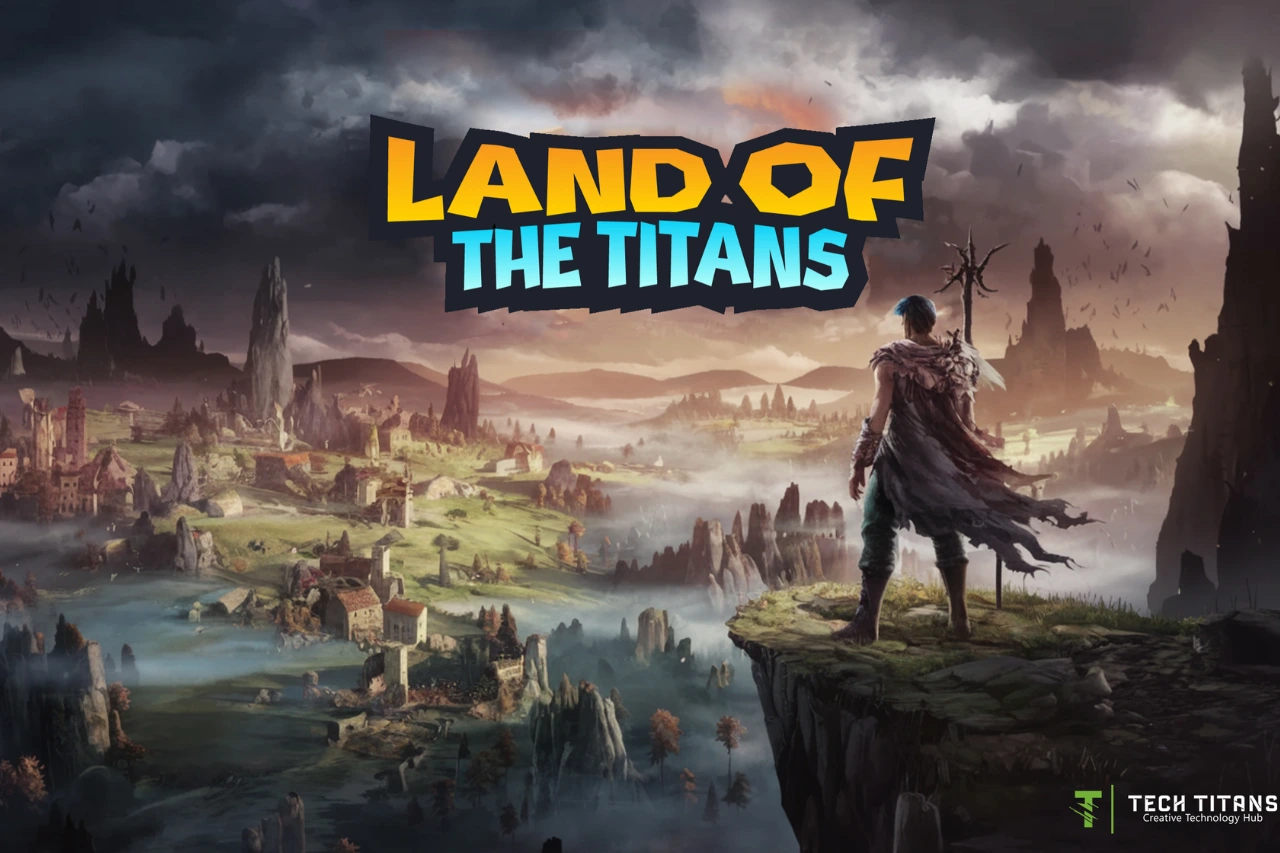
Creative-technology platforms provide a natural setting for experimenting with these ideas. TechTitans Cloud, for example, combines technology-learning content with gamified progression and a game experience. Its Land of the Titans concept illustrates one way of connecting game interaction with exposure to creative-technology topics.

That does not prove that gamification is inherently more effective than another teaching method. It is better understood as one design approach whose value should be judged by what learners actually practise and learn.

What can educators and learning designers take from Homo Ludens?

  • Give learners opportunities to experiment rather than only consume information.
  • Make feedback useful enough to guide the next attempt.
  • Connect challenges to the skill or concept being learned.
  • Use progress systems to clarify progress, not merely to distribute rewards.
  • Allow room for curiosity, exploration and different approaches where the subject permits it.

Key takeaway

Homo Ludens gives us a useful lens for thinking about the relationship between play and culture. In education, its modern relevance is not that every lesson should become a game. Rather, good playful learning can create structured opportunities to explore, practise, receive feedback and try again.

Sources and further reading

kid-new

Online Tech Learning Resources for Teens: A Practical Guide

Teenagers can start learning programming, game development, digital art and other technology skills online without waiting for university. The most useful platform depends on the learner’s goal, preferred learning style and budget. A good starting point is to choose one skill, complete a small project and only then decide what to learn next.

What should teens look for in an online tech course?

For beginners, a useful learning resource should explain concepts clearly and provide opportunities to practise. Project-based learning can be especially helpful because learners produce something concrete—a small website, game, animation or program—rather than only watching videos.

  • Clear beginner-level explanations
  • Exercises or projects
  • A visible progression from basic to more advanced topics
  • Current material and documentation
  • Pricing and age requirements that are clear before registration

TechTitans Cloud: creative technology learning

TechTitans Cloud is one example of a learning platform focused on creative technology subjects. Its learning areas include game design, web development, digital art, animation, sound design and UI/UX. It can be considered by learners who prefer video-based, self-paced learning combined with gamification.

As with any paid learning platform, students and parents should compare the current curriculum, access conditions and price with other options before subscribing.

Codecademy: interactive programming practice

Codecademy provides interactive coding lessons covering subjects such as Python, JavaScript, HTML, CSS and SQL. Its Basic plan provides access to selected free courses, while additional projects and learning features are available through paid plans.

This format can suit learners who prefer writing code directly while progressing through short lessons.

Unity Learn: game development and real-time 3D

Unity Learn provides free learning pathways and tutorials created for Unity users. Beginner options include Unity Essentials and learning paths covering programming, game development and creative real-time 3D skills.

It is particularly relevant for teenagers interested in building games or interactive 2D and 3D experiences. Learners who want to explore game development can also read our guide to choosing a first programming language.

Khan Academy: free programming fundamentals

Khan Academy Computing offers free material for independent learners. Its computing courses include introductory computer science with Python as well as JavaScript, drawing, animation, HTML and CSS.

It is a useful option when the priority is understanding programming concepts without first committing to a paid subscription.

Coursera and edX: university-style learning

Coursera and edX provide courses and programs from universities and other educational organizations. They can be useful for older or more advanced teenagers who are comfortable with a more academic learning format.

Access and certificate policies vary by course and can change, so learners should check the current enrollment terms rather than assuming that an entire course or certificate is free.

Scratch: a visual starting point for programming

Scratch, developed by the Scratch Foundation and originally created at MIT Media Lab, uses visual blocks instead of requiring beginners to type programming syntax. It is especially useful for younger learners and anyone who wants to understand concepts such as sequence, loops, conditions and events before moving to a text-based language.

Which learning resource should a teenager choose?

Start with the goal rather than the brand. Someone who wants to build websites can begin with HTML, CSS and JavaScript. A learner interested in games can explore Unity. Someone curious about programming fundamentals can try Python or Scratch. Creative learners may prefer platforms that combine technology with design, animation or digital art.

Our robotics guide for teens provides another path for learners interested in combining programming with electronics and physical systems.

A simple learning plan for beginners

  1. Choose one area: programming, games, robotics, digital art or another technology skill.
  2. Select one beginner resource instead of registering for several at once.
  3. Complete a small project that can be shown to someone else.
  4. Write down what was difficult and what you enjoyed.
  5. Use that experience to choose the next course or project.

Why projects matter

Finishing a course can demonstrate persistence, but building something provides stronger evidence of what a learner can actually do. A simple game, website, animation, robot or small Python program can become the beginning of a portfolio and can help a teenager discover which part of technology is genuinely interesting.

Sources and further learning