
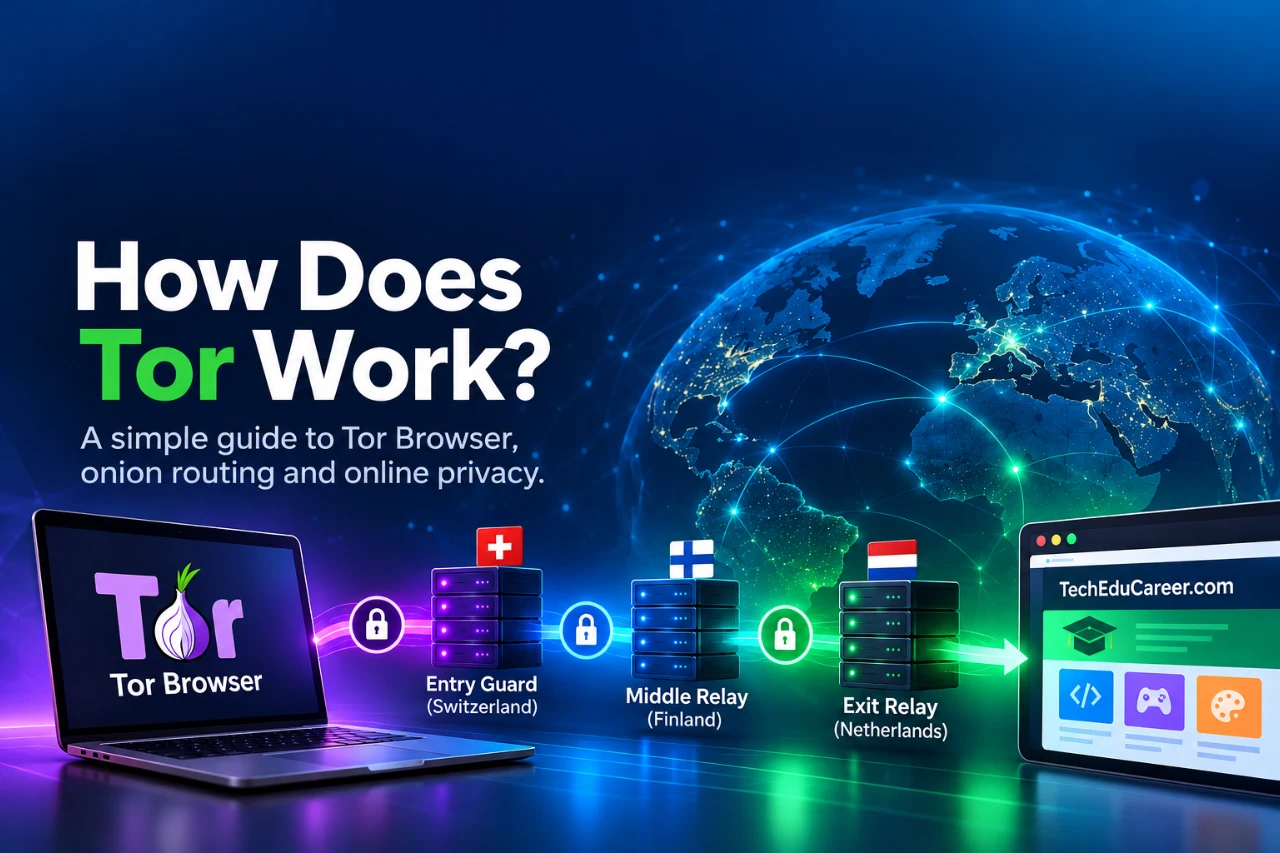
How Does Tor Work? Onion Routing Explained for Beginners
What happens when you open a normal website in Tor Browser? We examined a real Tor circuit while visiting TechEduCareer and compared our observations with the Tor Project’s documentation.
How does Tor work, and what happens when you visit a website through Tor Browser? Most people open a browser without thinking about the route their internet connection takes. Tor changes that route by passing traffic through multiple relays, helping protect your IP address and online privacy.
What is Tor?
Tor is short for The Onion Router. Its network is made up of independently operated servers called relays. Tor Browser sends web connections through this network and includes browser-level privacy protections. You can use it to visit ordinary public websites, not just sites ending in .onion.
For a typical visit to a regular website, Tor builds a circuit with three relays: an entry guard, a middle relay, and an exit relay. The exit relay makes the final connection to the destination. The website generally sees the exit relay’s IP address instead of your original one. Source: Tor Project — About Tor Browser.
How Does Tor Work? Understanding Onion Routing
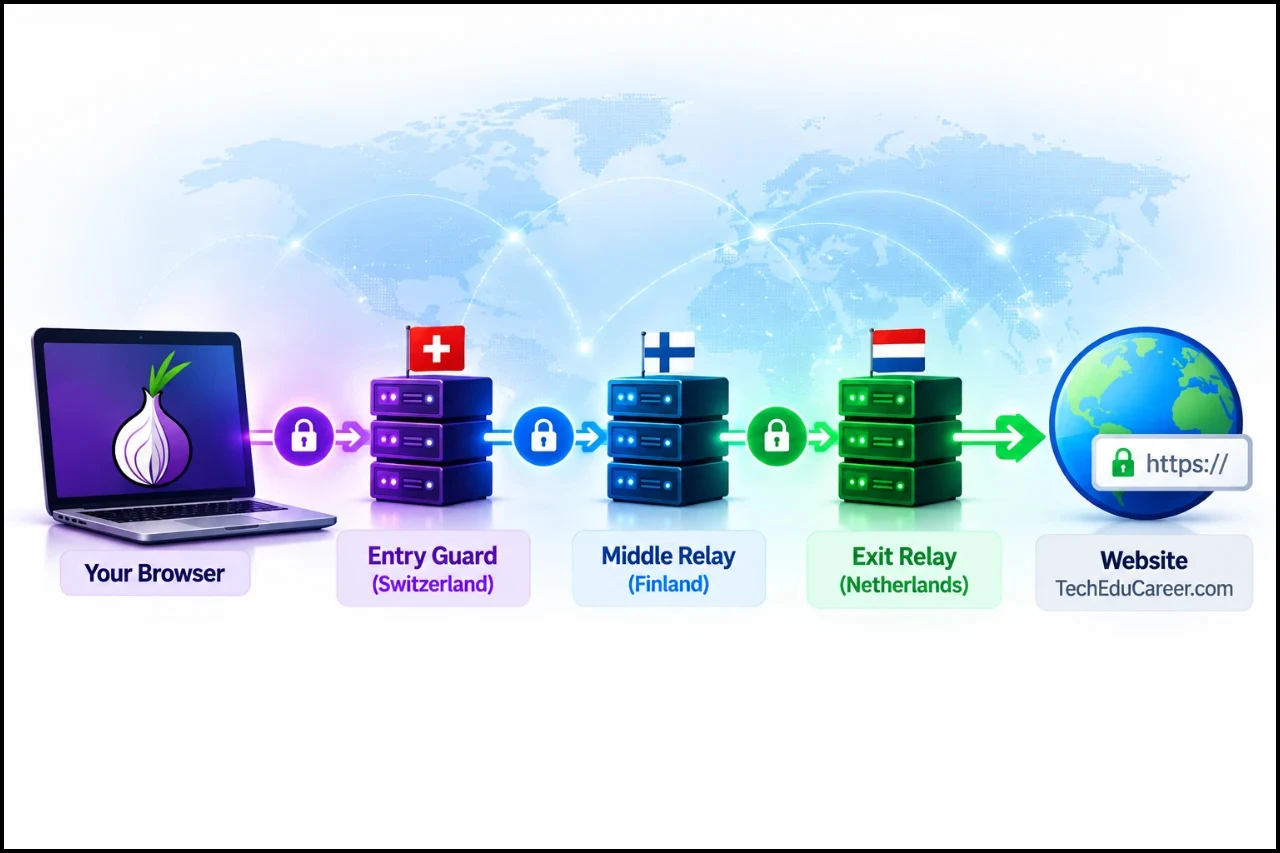
Figure 1. How Tor’s onion routing works: three relays help protect your IP address by separating your identity from the destination website.
Imagine sending a message wrapped in several envelopes. Each intermediary can open only its own envelope to learn where to forward the remaining package. Tor uses layered cryptography to achieve a related effect: your browser establishes keys with relays, and each relay processes only the layer relevant to its hop.
Typical route to an ordinary website:
Your Tor Browser → Entry guard → Middle relay → Exit relay → Website
The design limits what any individual relay learns:
- Entry guard: can see your connection’s source IP and the next relay, but not the final ordinary website destination from the Tor circuit alone.
- Middle relay: knows its neighboring relays, not your original IP and the destination together.
- Exit relay: connects to the destination and can see where traffic is going, but ordinarily does not know your original IP.
- Website: sees a connection from the exit relay. It may still identify you if you log in or share personal details.
This is a simplified explanation. Tor’s actual circuit construction involves cryptographic handshakes, directory information, and additional safeguards. Source: Tor Project — Cryptographic keys.
Our Tor Browser Experiment: Testing a Real Tor Circuit

Figure 2. Our Tor Browser experiment: a connection to TechEduCareer.com through Switzerland (entry guard), Finland (middle relay), and the Netherlands (exit relay). Relay locations may change between sessions.
To understand how Tor works in practice, we examined a real Tor Browser circuit. We installed Tor Browser and used it to open TechEduCareer.com, an ordinary website on the public web. Tor Browser’s circuit display showed one route passing through three countries:
- Entry guard: Switzerland
- Middle relay: Finland
- Exit relay: Netherlands
In that session, the displayed exit IP was 185.132.53.121. An IP-information lookup identified the address as Tor-related. This was consistent with the circuit display: our visit to an ordinary website used a Tor exit relay.
What the test demonstrated: the browser displayed a three-relay path and an exit address that was different from the user’s direct internet connection. What it did not prove: that every Tor session uses those countries, that an IP-geolocation database is always accurate, or that a person using Tor cannot be identified by other means.
Why does the website see another IP address?
On a normal direct connection, a website commonly sees the IP address used by your network or its gateway. With Tor, the exit relay contacts the ordinary website on your behalf. The website therefore sees the exit relay’s address.
This also explains why a website may think a Tor visitor is in a different country. IP geolocation describes an address, not necessarily the physical location of the person using it. Security systems may recognize public Tor exit IP addresses and ask for a CAPTCHA or block a request. Recognizing Tor use is not the same as learning the user’s real IP.
Does Tor choose new relays every time?
Not exactly. Tor deliberately reuses a relatively stable entry guard over time. Constantly choosing new entry relays would increase the chance of encountering an adversarial guard. Middle and exit relays can change as circuits are created, including for different sites. The Tor Project explains why guards remain stable in its entry-guard guide.
New Circuit versus New Identity
Tor Browser has two options that sound similar but do different jobs:
- New Tor Circuit for This Site reloads the site over a new circuit. It does not clear cookies or unlink your current session from earlier activity.
- New Identity closes tabs and windows, clears private browsing data, and uses new circuits for subsequent activity.
Neither option makes you automatically anonymous to a service where you have already identified yourself. Source: Tor Project — Managing identities.
Tor, VPN and private browsing: what is different?
These tools solve different problems. A VPN generally routes traffic through infrastructure operated by a provider; that provider may be in a position to observe or associate some connection information. Tor distributes a typical web circuit among separate relays. Private or incognito mode, meanwhile, primarily changes how your browser stores local session data—it does not hide your IP address from websites.
| Question | Tor Browser | Typical VPN | Private/Incognito mode |
|---|---|---|---|
| Does a website usually see your original public IP? | No, it sees the Tor exit | No, it sees the VPN endpoint | Yes |
| Uses several independently operated relays? | Yes, for typical exit circuits | Usually no | No |
| Protects other apps automatically? | No | Often, if system-wide | No |
| Primary purpose | Network privacy and anonymity protections | Encrypted tunnel to a provider | Reduce local browsing traces |
Why might Tor feel slower?
A Tor connection takes extra hops and passes through relays with varying capacity and network load. That adds latency compared with many direct connections. Performance also depends on the destination website, the exit relay, and the current network. The privacy trade-off is real: Tor is not designed to be the fastest possible route.
What Tor cannot protect you from
Tor is useful, but it is not a magic anonymity switch:
- Account identification: logging in to an account tells the service who you are, regardless of the visible exit IP.
- Information you disclose: names, messages, files and other clues can reveal identity.
- Unprotected applications: opening Tor Browser does not route your other browsers, games or applications through Tor.
- Unsafe downloads: documents opened outside Tor Browser may contact external resources.
- Traffic correlation and compromised devices: sophisticated observers or malware can undermine privacy even when the network design works as intended.
HTTPS still matters for ordinary websites. Tor encrypts and routes traffic inside its network, but an exit relay is not a substitute for HTTPS encryption between the browser and the destination service. With HTTPS, the exit relay cannot simply read the protected page contents. Source: Tor Project — Tor encryption.
Is Tor only for the dark web?
No. Our experiment used Tor Browser to visit an ordinary public website. Tor can help people reduce tracking, research sensitive topics and access information where censorship is a concern. Some websites block Tor exits, and laws and restrictions vary by location. Tor itself is a privacy technology, not a category of illegal content.
For context, see our earlier article: Surface Web, Deep Web and Dark Web: Where Do Hackers Actually Operate?
Should You Use Tor Browser for Everyday Browsing?
For most people, Tor Browser is worth knowing about, but it does not need to replace Chrome, Firefox, Edge, or another everyday browser. A regular, updated browser with sensible privacy settings is often more convenient for routine tasks such as streaming, shopping, and banking.
Tor Browser is particularly useful when you want to reduce IP-based tracking, research a sensitive topic, or reach information in an environment where access is restricted. However, Tor connections can be slower, some websites block known exit relays, and signing into a personal account still identifies you to that service.
Practical takeaway: use Tor when its additional network privacy protections serve a purpose, rather than assuming it makes every online activity anonymous.
Frequently asked questions
Can I open Google or other regular websites with Tor Browser?
Yes, although some services may require additional verification or block known exit relays.
Can my internet provider tell I use Tor?
On a direct Tor connection, the provider may recognize a connection to the Tor network. It generally cannot read the ordinary website destinations you access through Tor. Bridges can help where direct Tor access is blocked.
Does Tor change my IP for every page?
No. Circuits can be reused, and the entry guard is intentionally stable. Different sites can use different circuits.
Does Tor protect Chrome or other apps?
No. Only traffic configured to use Tor benefits from its routing; Tor Browser does not automatically protect unrelated applications.
Does Tor guarantee anonymity?
No. It makes some kinds of network tracing harder, but account logins, user behavior, malware and advanced attacks can still compromise privacy.
What comes next: onion websites
There is one major distinction we have intentionally left for Part 2. Ordinary websites are reached through Tor exit relays. Onion services ending in .onion use a different connection design that does not require an ordinary internet exit relay. We also tested an onion search service and saw that its circuit display differed from the one used for TechEduCareer.com.
In the next article, we will explain how onion websites work, what their unusual addresses mean, how they are discovered, and what our own Tor Browser experiments showed.
Sources and further reading
- Tor Project — About Tor Browser and the Tor network
- Tor Project — Tor cryptographic keys
- Tor Project — Why entry guards remain stable
- Tor Project — New Circuit and New Identity
- Tor Specifications — Circuit creation and entry guard selection
Discover more from Technology Education & Career
Subscribe to get the latest posts sent to your email.
